AI Prototyping · 2026 Hands-On Test
The Best AI Prototype Tool in 2026: 6 Tested With the Same Prompt

Most AI prototype tool listicles in 2026 read like ad copy. Every tool is the best for X. Nobody runs the same prompt across all of them. Nobody shows the actual output. Nobody names the realistic price floor for serious multi-screen evaluation.
We did. Same prompt, six tools, real videos, honest ranking. We are dMaya. The ranking below puts us at the top, marginally. We are not neutral. Watch the videos and decide for yourself.
The prompt: a SaaS for freelancers with project management and invoicing, nature green as a color, dashboard first. If a tool produced an output with a small visible bug, we asked for one fix before recording. We never re-prompted for a complete redesign. The videos below are first-pass output.
The test setup
One brief, six tools. Each tool got the same starting prompt. We followed up only when the first output had a small visible bug worth fixing. We never re-prompted for a complete redesign of the dashboard. Where the brief asked for additional screens (time tracking, all projects), we used a single follow-up prompt.
The brief, exactly as given to every tool:
I want to make a SaaS for freelancers where they can do project management and invoicing.

I want to use the nature green as one of the colors. You can plan out the rest of the details and plan features on your own.

I want to start with making Dashboard.
Same wording, same person typing, same hour for back-to-back runs where the tool allowed it. Time recorded from submit to first output. Credit cost recorded where applicable. Output usability judged from the screen, not from marketing.
Want to run a similar test against your own brief? Generate one with our free AI PRD generator first. It outputs ready-to-paste prompts for each tool below.
#1: dMaya (Claude Opus 4.7 / Sonnet 4.6)
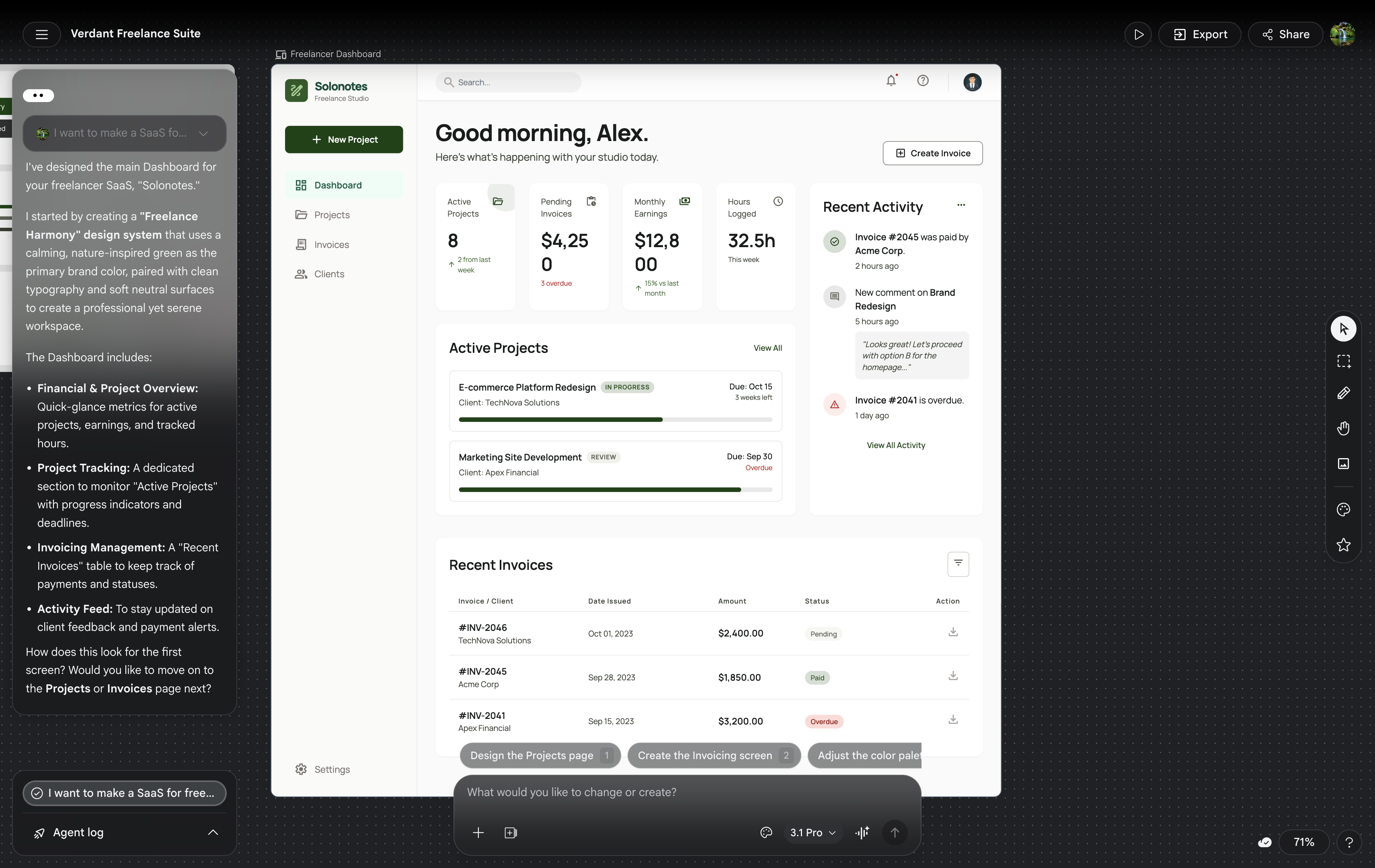
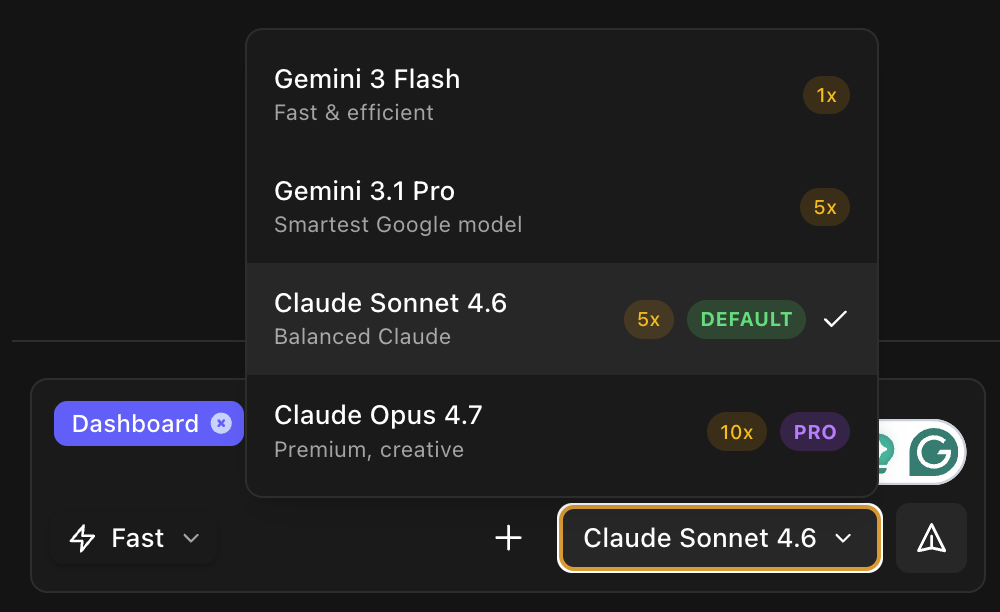
dMaya produced the strongest visual output across the test. Editorial typography, restrained palette anchored on the requested nature-green, atmospheric depth on the hero card, consistent component styling across the three screens. We ran the dashboard generation on Opus 4.7 (about 2.5 minutes, ~220 credits in dMaya) and the additional screens on Sonnet 4.6 (faster, ~110 credits each). Sonnet's output on screens 2 and 3 stayed visually coherent with the Opus dashboard.
Where dMaya wins: multi-screen consistency, model picker per generation, clean HTML export ready to hand to Claude Code or Cursor for the build phase.
Honest caveat: we are dMaya. The gap between the dMaya output and the Bolt output is real but it is small. On a single dashboard screen alone, with a designer with strong taste running the prompts, Bolt could plausibly come out ahead in some runs. The reason dMaya wins on this test is the multi-screen consistency, which is the harder problem.
For the deeper conversation on dMaya's model picker and how to pick the right model per generation, see Best AI Model for UI Design.
#2: Bolt
Bolt was the strongest non-dMaya tool in the test. The dashboard output had committed typography, real spacing rhythm, and color choices that respected the nature-green ask. Functionally, Bolt produced a running app, not just a mockup, which is the prototype-tool advantage over design-first tools.
Where Bolt wins: output quality among coding-first tools, running app from a single prompt, fast iteration after the first build.
Pricing reality: the free tier is exploration-grade, useful for the first prompt and a single screen. For multi-screen evaluation (dashboard, time tracking, all projects), plan to be on Pro at $25/month. This is the standard floor for paid AI tools in the category and matches what serious evaluation costs across Lovable, Cursor, and dMaya.
#3: Lovable
Lovable took about 5 minutes for the first prompt. The output was average, slightly better than v0 visually, but not as polished as Bolt or dMaya. Functional running app similar to Bolt's output type.
Where Lovable wins: the chat-driven iteration loop is the smoothest of the coding-first tools. Comfortable for non-developers building running apps from descriptions.
Pricing reality:same as Bolt. The free tier covers a single screen for exploration. For multi-screen evaluation, plan to be on Pro at $25/month. The chat-driven iteration loop is what you are paying for, and it is genuinely better than Bolt's.
#4: Vercel v0
v0 was the fastest of the coding-first tools, under 2 minutes total across multiple prompts. Output quality was average. The aesthetic skews shadcn/ui-by-default, which is functional and clean but not visually distinctive.
Where v0 wins: speed, integration with Vercel deployment, output that slots cleanly into a Next.js + shadcn project. If your stack is Vercel + shadcn already, v0 is the lowest-friction option.
Honest take:v0's output looks like every other v0 output. The speed-quality trade-off favors speed. For an MVP that does not need to look distinctive, that trade-off is fine.
#5: Google Stitch (Gemini Pro)
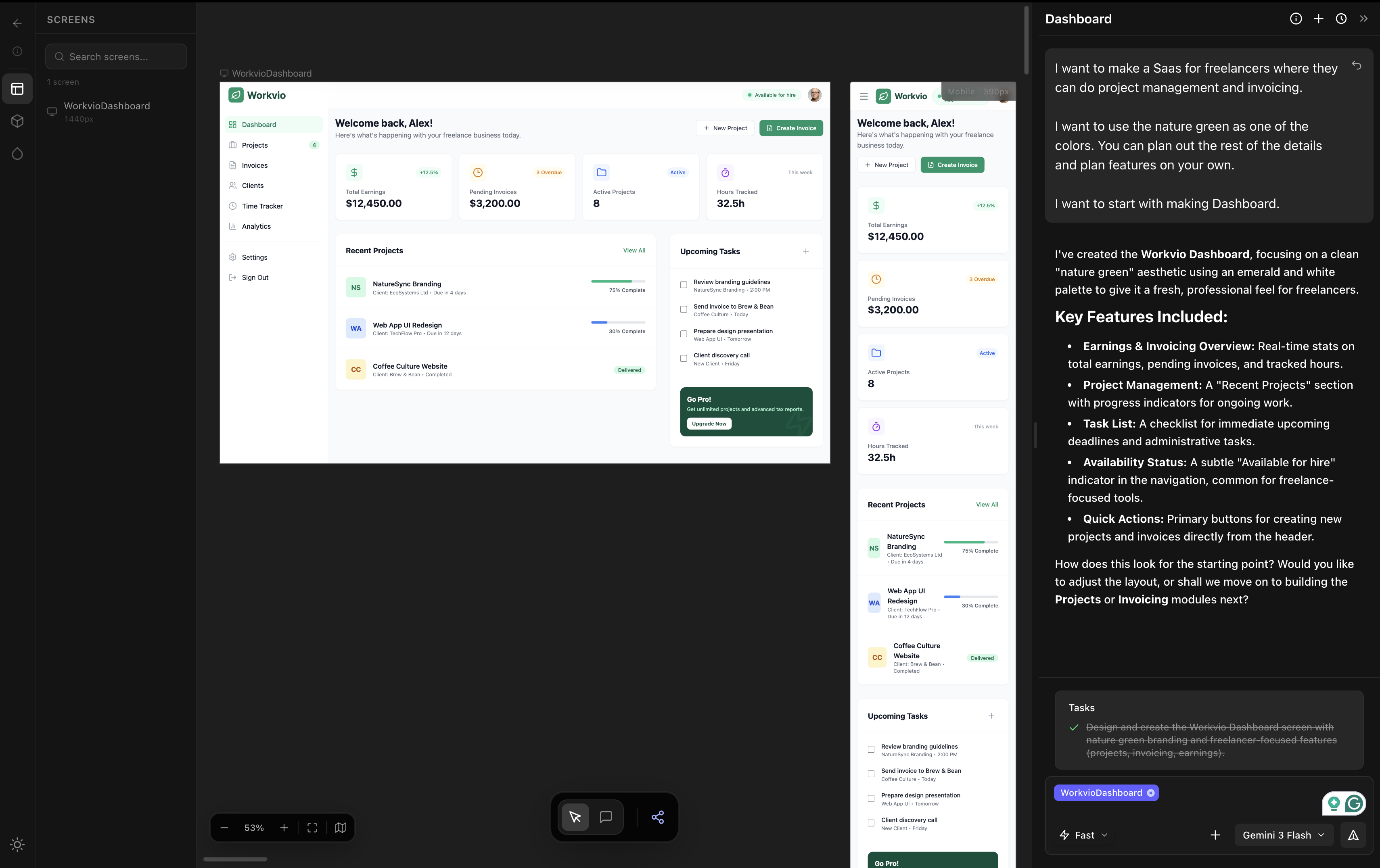
We covered Stitch in depth in our Stitch hands-on review and the three-tool comparison where we ran the same prompt. Summary: Stitch is fast (about 2 minutes on Flash or Pro), free during Labs, and the output is rough. Positioning issues, especially center alignment, are recurring. Output is useful for early exploration. Not client-ready on its own.
When Stitch wins: when speed and free are the constraints and you can absorb rough output. For real product work, Stitch is the wrong tool.
#6: Figma Make
Figma Make was the fastest tool in the entire test, under 60 seconds per prompt. It produced three screens in two prompts. The output looked like a first-year design student's first project: generic typography, weak hierarchy, layout decisions that did not commit to the brief.
Where Figma Make wins:if you are already inside Figma and you want a rough starting point in under a minute, the friction is the lowest of any tool tested. The output is meant to be refined manually in Figma's editor afterwards, not handed off as-is.
Honest take:Figma Make is positioned as Figma's answer to vibe coding. As a vibe design tool it is currently the weakest of the six we tested. Figma will improve it; right now, it is not the right pick if output quality is the priority. Full hands-on review at /blog/figma-make-review.
Side-by-side comparison
| Tool | Time | Cost | Multi-screen | Output quality |
|---|---|---|---|---|
| dMaya (Opus 4.7) | ~2.5 min | $18/mo + ~220 credits | Yes (consistent) | Highest |
| Bolt | ~3 min | Pro $25/mo for multi-screen | Yes (Pro tier) | High (close to dMaya) |
| Lovable | ~5 min | Pro $25/mo for multi-screen | Yes (Pro tier) | Average |
| v0 | <2 min | Premium $20/mo (free tier stretches further) | Yes (single follow-up prompt) | Average |
| Stitch | ~2 min | Free during Labs (350/mo cap) | Each gen independent | Rough |
| Figma Make | <60 sec/prompt | Figma Pro + AI credits | Yes (two prompts) | Weakest |
Want the same multi-screen output we showed?
dMaya runs Opus, Sonnet, and Gemini Flash through a per-generation model picker on a multi-screen canvas with HTML export to Claude Code. Plans start at $18/mo.
Start DesigningWhich tool when
Multi-screen product UI
dMaya. Multi-screen consistency, brand-aware, model picker, HTML export to coding agent for build phase.
Running app prototype
Bolt on paid plan. Output close to dMaya, full running app rather than mockup, but plan to pay for multi-screen work.
Vercel + shadcn stack
v0. Lowest friction if your destination is Next.js with shadcn. Speed wins over polish here.
Free exploration
Google Stitch. Free during Labs, fast, output is rough but useful for early ideation when budget is zero.
Inside Figma already
Figma Makefor the rough first pass, then refine manually in Figma's editor. Do not ship the AI output as-is.
Chat-driven iteration
Lovable on paid plan. The chat loop is the smoothest of the coding-first tools for non-developers.
The honest verdict
On this test, with this brief, dMaya produced the strongest output, marginally ahead of Bolt. The gap between #1 and #2 is small enough that on a different brief or a different run, Bolt could plausibly come out ahead. Both are clearly above Lovable and v0 on visual polish. Both are clearly above Stitch and Figma Make on output usability.
We are dMaya. The right framing is not we crush everyone because we do not. The right framing is: dMaya is the best fit for multi-screen product work that ships, because we win on multi-screen consistency, model picker per generation, and clean HTML export to coding agents. Bolt is genuinely competitive on the dashboard alone. Lovable and v0 are average. Figma Make is currently the weakest. Stitch is fast and free.
Pick the tool that matches your work, not the tool with the loudest landing page.
Try the workflow that won this test.
dMaya runs Opus, Sonnet, and Gemini Flash on a multi-screen canvas with clean HTML export ready for Claude Code or Cursor. Plans start at $18/mo.
Start Designing