AI Design Workflows · 2026 Field Guide
Vibe Design: The Definitive 2026 Guide

Vibe design became a real category six weeks ago. Google Stitch 2.0 launched on March 18, 2026 and the announcement post named the practice. Anthropic launched Claude Design days later. Figma Make had been live for almost a year by then but suddenly had a category to belong to. The AI-native design space stopped being a rumor and became a shopping decision.
The term has been used loosely since. Some writers collapse it into vibe coding. Some tie it only to Stitch. Some use it to mean "AI helped me in Figma". This guide draws a clean line: what vibe design actually is, who built the tools that do it, what we found when we ran the same prompt across all three of the major ones, and the workflow that ships product UI in 2026.
We are dMaya, one of the tools in this category. We do not hide that. The comparisons below are honest about every player, including the ones we lose to on specific criteria. The video tests are real, run on the same brief, and timed.
What vibe design actually is
Google's framing in the Stitch 2.0 launch post is the cleanest. From the official announcement: "Instead of starting with a wireframe, you can start by explaining the business objective you're hoping to achieve, what you want your users to feel, or even examples of what's inspiring you."
Three things in that definition matter and tend to get dropped by other writers. First, vibe design is prompt-first. The canvas starts empty and gets filled by conversation, not by manual placement. Second, the input is intent, not layout. You describe the goal or the feeling, not the components. Third, the output is high-fidelity, not a wireframe. Vibe design tools generate finished-looking UI on the first pass, which is what makes them useful for stakeholder review before code is written.
The opposite of vibe design is the workflow most product teams have run for years: wireframes first, then mockups, then high-fidelity, then dev handoff. Vibe design collapses that sequence into one prompt-driven phase, then hands the locked output to a coding agent for the build.
It is not the same as vibe coding. Vibe coding generates working application code from a prompt. Vibe design generates an interface you can review, comment on, and iterate visually before any code exists. The two are paired in the same product cycle on most real teams, not substitutes.
How vibe design actually works
Strip away marketing language and every vibe design tool does the same three things in the same order. Inputs in, canvas in the middle, output out.
1. Inputs
Text prompt, voice, screenshots, URLs, sketches, brand reference, design tokens, or a combination. The richer the input, the more directed the output.
2. Canvas
A persistent visual surface where generated screens live. You see them rendered, you iterate on them, you select and modify components, you share preview links for review.
3. Output
HTML, React components, Figma frames, a handoff bundle, or all of the above. Output quality determines whether the tool is a toy or a production input.
The differences between tools are mostly in two places: how rich the input model is, and how usable the output is for the next step (handoff to coding agents, or direct deploy). Stitch leans on voice and Gemini's multi-modal input. Claude Design accepts Figma and existing brand assets. dMaya accepts text, URLs, and a model picker that lets you choose Opus, Sonnet, or Gemini per generation. Figma Make starts from existing Figma frames and components.
On the canvas side, almost every tool now has multi-screen support, real-time iteration, and some form of comment or share layer. Output quality is where the field separates. We will get to that with real test data in section 4.
The 5 vibe design tools in 2026
Five tools currently belong in the category, with two adjacent ones worth flagging. Tier-1 means it is fully prompt-first on a canvas built for the practice. Tier-2 is adjacent (wireframe-leaning or platform-locked).
| Tool | Tier | Model | Pricing | Best for |
|---|---|---|---|---|
| Google Stitch | Tier-1 | Gemini 2.5 Pro / Flash | Free, monthly cap | Quick exploration, voice input |
| Claude Design | Tier-1 | Claude Opus 4.7 | Claude Pro $17 to $20/mo | One polished hero screen |
| dMaya | Tier-1 | Opus, Sonnet, Gemini Flash (picker) | $18/mo Starter | Multi-screen products, agency client work |
| Figma Make | Tier-1 | Claude (under the hood) | Figma Pro + AI credits | Teams already on Figma |
| Lovart | Tier-1 (broad) | Multi-modal | Free tier, paid plans | Marketing campaigns + brand assets, less so product UI |
| Visily | Tier-2 (wireframe-leaning) | Mixed | Free + paid | Wireframes from prompts, non-designers |
| Banani | Tier-2 (canvas-leaning) | Mixed | Free + paid | Editable canvas, multi-screen prototypes |
Lovable, Bolt, v0, and Cursor sit in vibe coding, not vibe design. They generate code, not a design canvas. Useful tools, different category.
Same prompt, 3 tools, real timings
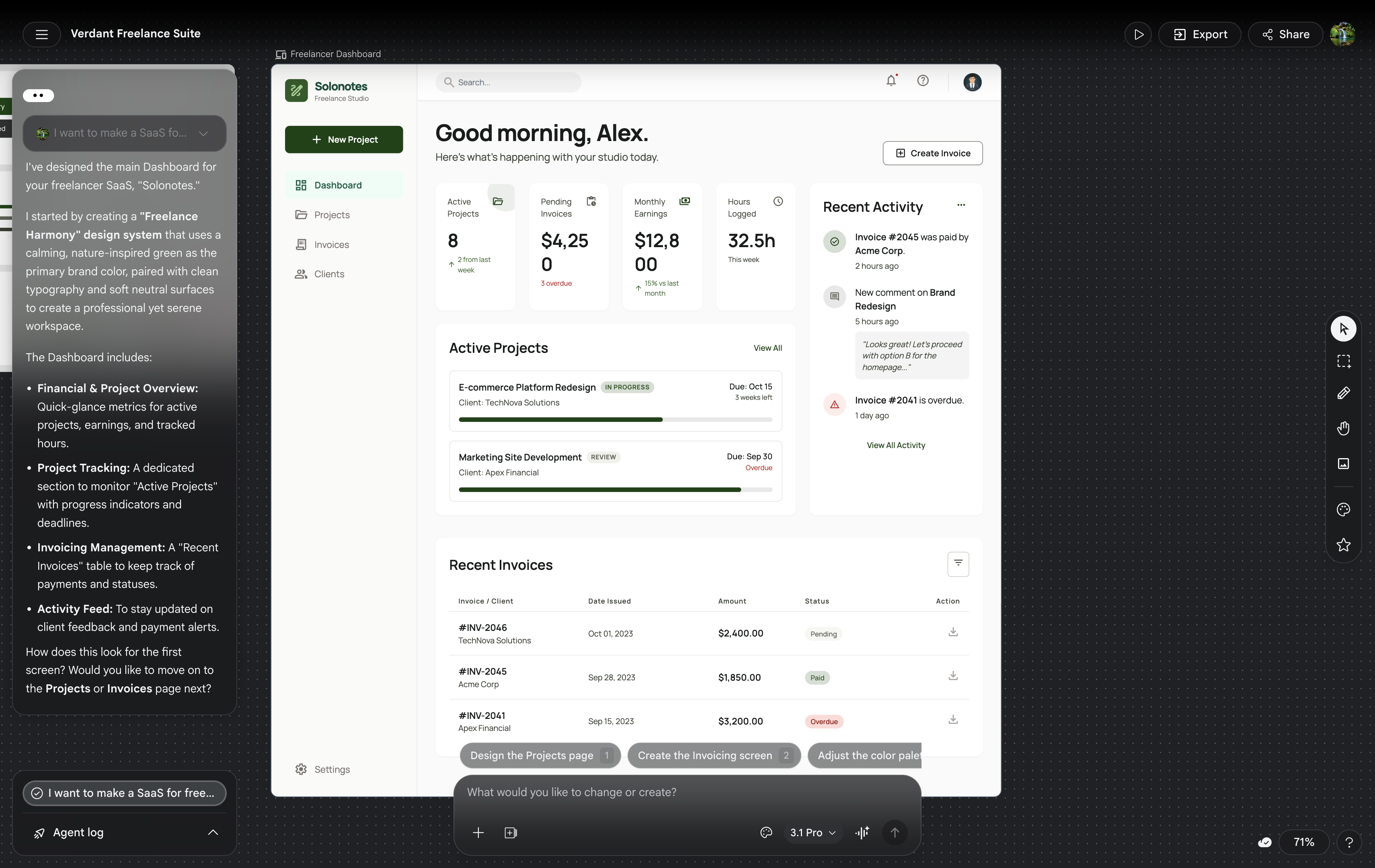
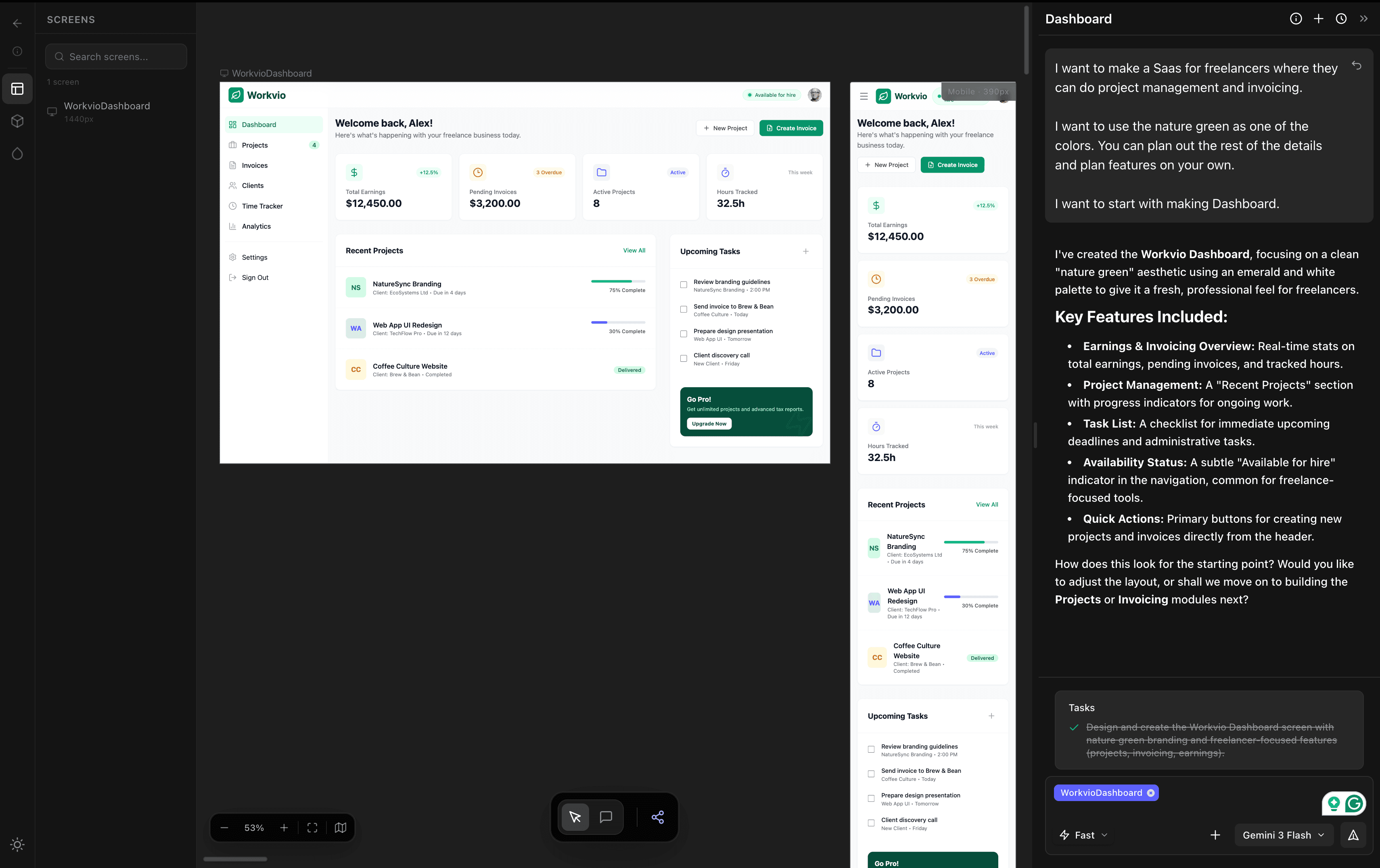
We ran the same brief across Google Stitch (Flash and Pro), Claude Design (Opus 4.7), and dMaya (Opus 4.7) on April 24, 2026. Same prompt, same hour, same evaluator. Full write-up with all videos and timings lives at /blog/google-stitch-vs-claude-design-vs-dmaya. Summary below.
| Tool / Model | Time to first output | Cost / limit hit | Output usable for client? |
|---|---|---|---|
| Google Stitch (Flash & Pro) | ~2 min | Free (Labs) | No (rough output) |
| Claude Design (Opus 4.7) | ~10 min | ~20% of weekly Claude limit / run | Yes (one screen, painful to iterate) |
| dMaya (Opus 4.7) | ~2.5 min | ~220 credits Opus / ~110 Sonnet | Yes (multi-screen, model picker per generation) |
Three honest takeaways from the test. Stitch is fastest. Two minutes from prompt to output on Flash or Pro, free during Labs. The catch is that the output is rough and not client-ready. Claude Design produces the most polished single screen. Opus 4.7 does excellent work when given a clean brief. The catch is that one generation burns roughly 20% of a weekly Claude limit, so two runs a day for three days takes you out of rope until next week. dMaya wins on multi-screen and export. Same Opus quality, structured for consistency across screens, plan-based credits with model picker per generation, and clean HTML export ready to hand to Claude Code.
Pick by what you are trying to do, not by which one has the best landing page.
Try vibe design with a real model picker.
dMaya runs Opus, Sonnet, and Gemini Flash on a multi-screen canvas with clean HTML export. Plans start at $18/mo.
Start DesigningThe workflow that ships product UI
Vibe design is one phase of a complete product workflow, not the whole thing. The phase before is the brief. The phase after is the code. Here is how the four steps connect.
Step 1 of 4
Write a real brief (60 seconds)
One sentence on the goal, one on the user, one on the constraints. The vibe design tool will fill in everything else. Skipping this step is the most common reason teams blame the AI for bad output. The output is bad because the brief was vague.
If you want a structured brief instead of three sentences, our free AI PRD generator built for design teams produces a PRD with a Design Direction section and ready-to-paste prompts for dMaya and every other AI tool listed above. Runs in your browser, no signup.
Step 2 of 4
Generate the multi-screen design on a canvas
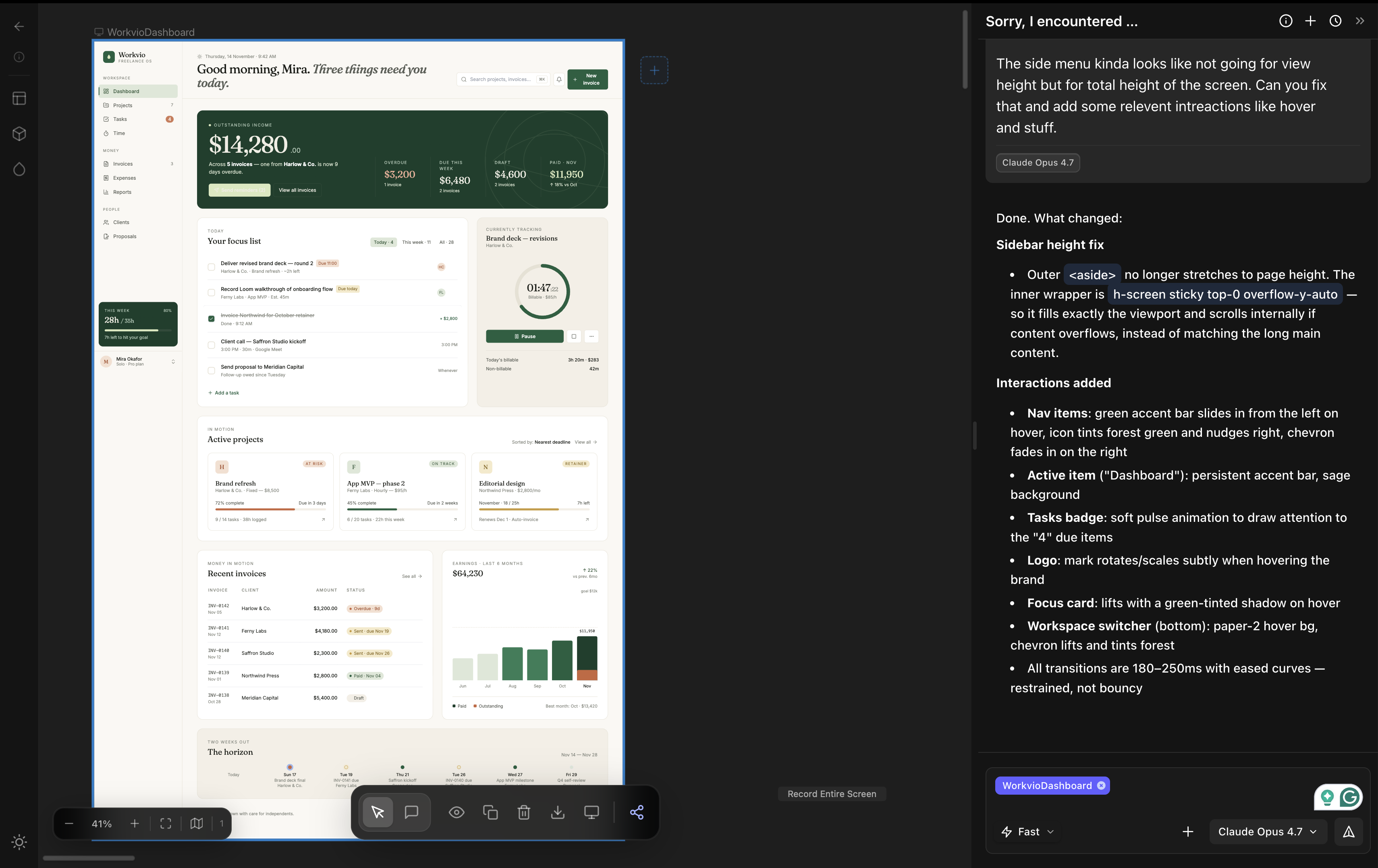
Open the vibe design tool of your choice. In dMaya, pick the model: Opus 4.7 for the hero direction, Sonnet 4.6 for fast iteration, Gemini Flash for cheap exploration. Generate every screen the product needs. Components stay consistent across screens because the canvas knows what the others look like.
Step 3 of 4
Review with the team and the client
Share preview links. Get inline comments. Iterate on parts that need work without regenerating from scratch. This is the part of the workflow that traditional design tools have always handled and that pure code-generation tools (Lovable, Bolt) skip entirely. It is also where most of the actual product decisions get made.
Step 4 of 4
Export and hand off to a coding agent
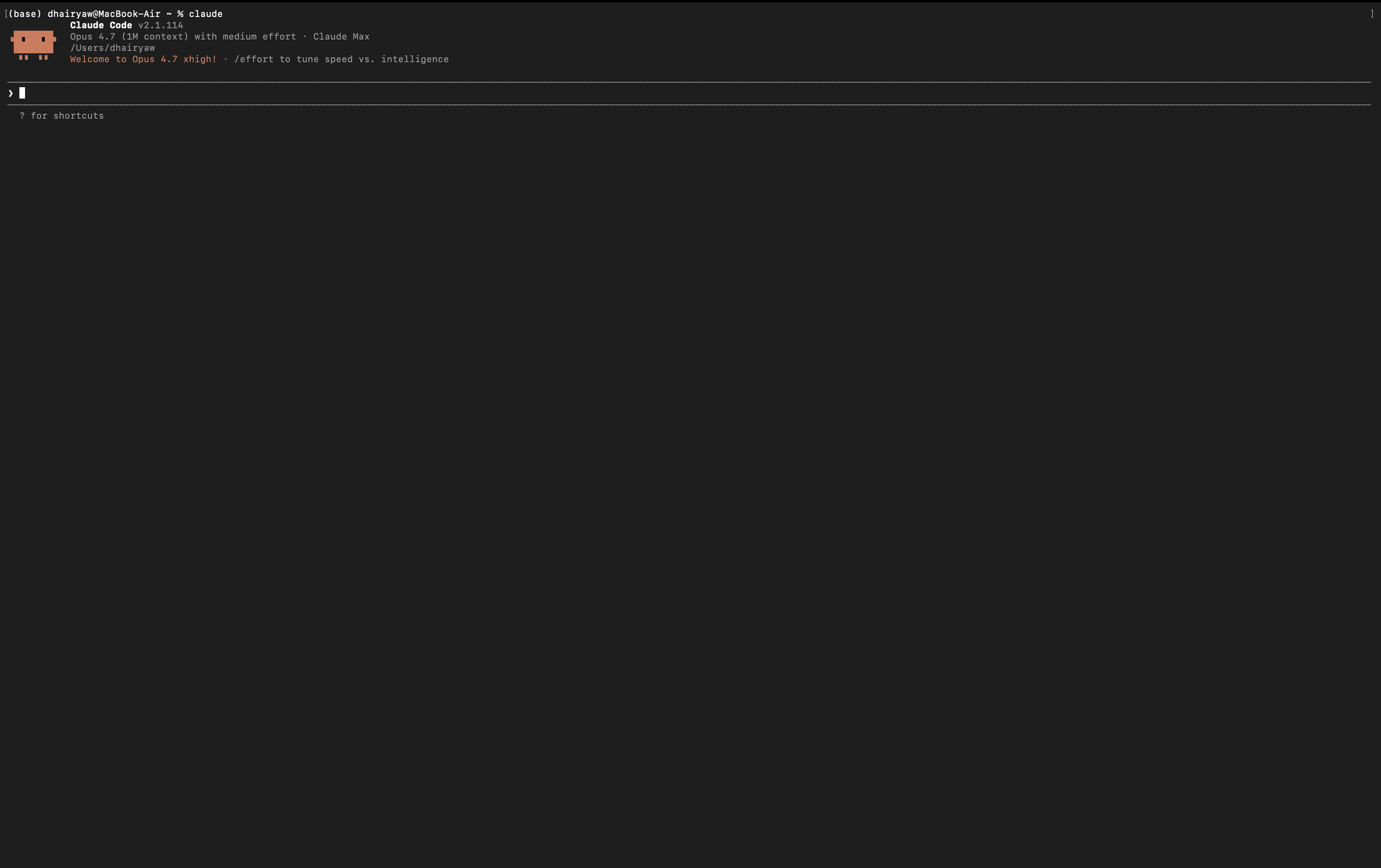
Export the locked design as HTML or as a tool-specific bundle. Open Claude Code, Cursor, or your coding agent of choice. Paste the export and ask for the framework you ship in (Next.js, Flutter, React Native, PHP). The coding agent does what it is best at: turning a finished design into production code.
Convert this HTML into Next.js with shadcn/ui components. Keep typography, spacing, and component hierarchy exactly as designed.That is the whole loop. Vibe design produces the visual. Vibe coding produces the build. Neither phase blocks the other.
Going the other direction (code or running app back to Figma for review)? Our free HTML to Figma converter handles that step. Free with no monthly quota or signup; supports Claude Code, Lovable, Bolt, v0, Cursor, and Stitch output.
Pricing reality (including the Claude Pro session limit)
None of the headline pricing tells the full story. Here is what you actually pay.
| Tool | Headline price | What it actually costs |
|---|---|---|
| Google Stitch | Free | Monthly generation cap. Hit it and you wait until next month. |
| Claude Design | $17 to $20/mo (Claude Pro) | 5-hour rate windows. Heavy iteration burns the limit fast. One polished design can use 20% of weekly Pro budget. |
| dMaya | $18/mo Starter | Plan-based, no per-iteration session caps for design work. Pick the model per generation. |
| Figma Make | Figma Pro + AI credits | Credits run out. You buy more. Tied to Figma seat license too. |
| Lovart | Free tier, paid plans | Free tier limited; production work needs paid plan. |
The Claude Pro session limit is the one most people underestimate. Anthropic does not publish exact numbers, but in practice you get a usage window every 5 hours, and once you exhaust it, Claude is locked until the window resets. For design iteration, every cosmetic tweak triggers a regeneration, and twenty tweaks across three screens can burn a full window in under an hour. You hit the limit, the loop breaks, you wait.
The workflow above (iterate visually in dMaya, hand the locked design to Claude Code at the end) avoids this entirely. You spend Claude Pro budget on a single framework conversion at the end, not on fifty design regenerations along the way.
Decision tree: which tool when
Quick exploration, single screen
Google Stitch. Free during Labs, fast (~2 min on Flash or Pro), voice input supported. Output is rough but useful as a quick visual to react to.
One polished hero or pitch deck
Claude Design if you have Claude Pro and only need one screen done beautifully. dMaya on Opus 4.7 if you also need multi-screen consistency and HTML export.
Real product or agency client work
dMaya. Multi-screen consistency, model picker per generation, brand integration, client preview links, clean HTML export to Claude Code or Cursor for the build.
Marketing campaigns, brand systems
Lovart. Built for the multi-asset brand campaign job, not for product UI.
Team is already on Figma
Figma Make is the path of least resistance. Output stays inside Figma, inherits your existing design system. Worse for handoff outside Figma.
Wireframes from a prompt, non-designer audience
Visily or Banani. Adjacent to vibe design proper, but both are useful when low-fidelity is the goal.
Who vibe design is for (and who it isn't)
Right tool for you when
- ✓ You can write a clear product brief
- ✓ You need to get to a visual decision before code
- ✓ Your project has more than one screen and they need to feel related
- ✓ A client or a non-technical stakeholder has to approve direction
- ✓ You ship code eventually and want a clean handoff
- ✓ You are a freelancer, agency, founder, or solo builder shipping product UI
Wrong tool for you when
- ✗ The output needs to be pixel-perfect to a brand spec on day one
- ✗ You are doing low-fidelity wireframing and the output is throwaway
- ✗ You need accessibility-certified UI with no human review (no AI tool gives that yet)
- ✗ You want a non-AI workflow on principle
- ✗ The brief is genuinely unclear and vibe design will surface that, not paper over it
How to start vibe designing (5 steps, 30 minutes)
Step 1
Pick the tool that matches the work. Use the decision tree above. For most readers shipping a real product, dMaya at $18/mo is the right starting point. For quick exploration only, Stitch is free.
Step 2
Write a real brief. Three sentences. Goal, user, constraints. Skip this and the AI will fill the gap with a generic vibe.
Step 3
Generate the first pass. Pick the model that matches the work. Opus for hero direction, Sonnet for iteration, Flash for cheap exploration. Read what comes out before you tweak. Most teams over-edit the first generation when the brief was the real problem.
Step 4
Iterate visually, not by regenerating.Select components, change them in place, ask the AI to reflow specific sections. Avoid "regenerate the whole thing" until you have a clear reason. Iteration cost compounds.
Step 5
Export and ship. HTML to Claude Code or Cursor for the framework conversion. Use the actual coding session for one focused task: turning a finished design into production code. Not for design iteration.
Where vibe design is going
Three trends matter. First, the model picker pattern is going to spread. dMaya already offers it. Other tools will follow because users will not accept a single hardcoded model when the cost and quality differences across Opus, Sonnet, Gemini Pro, and Gemini Flash are this large. Second, the canvas is going to absorb more of the iteration loop. Voice editing is already here (Stitch). Live in-browser preview with hot reload is showing up in skill ecosystems and will land in vibe design tools next. Direct-deploy from canvas is the obvious step after that. Third, the line between vibe design and vibe coding will blur for solo projects, but stay sharp for product teams: design and build are different decisions made by different people, and a tool that pretends otherwise is a tool for solo work, not for teams.
The category itself is six weeks old. Every feature listed in this guide will move. The question of who you are designing for, why, and what they should feel will not.
Run vibe design with the model picker built in.
dMaya gives you Opus, Sonnet, and Gemini Flash on a multi-screen canvas with HTML export to Claude Code. Plans start at $18/mo.
Start Designing