Claude Code · 2026 Field Manual
Claude Code's Frontend Design Skill: What 565K Installs Fix (And the 4 Things They Don't)

Anthropic shipped the frontend-design skill to fix one specific thing: every Claude-built UI looking like every other Claude-built UI. Inter font. Purple gradient. Card grid. They called it distributional convergence in the launch post. The fix is a single SKILL.md file, roughly 1,300 tokens of design philosophy, run before Claude touches code. More than 564,000 developers have installed it (the official Anthropic plugin page tracks the live count).
It works. Outputs are noticeably better than vanilla Claude Code on a one-shot landing page. Typography commits to a direction instead of defaulting to Inter. Colors are picked with intent. Motion has a point of view.
Use it across a week of real projects and a different pattern shows up. Every output starts carrying its own signature: bold display fonts, dramatic gradients, asymmetric grids, atmospheric depth, neon accents. The skill did not kill the look of AI-generated design. It replaced one signature with another. This post is the field manual: exactly what the skill does, the four limits a single prompt cannot solve, and the workflow that ships real product UI.
What the skill actually is
The frontend-design skill is one markdown file. It lives in the official Anthropic plugin repo at anthropics/claude-code/plugins/frontend-design and ships through the Claude Code plugin marketplace. Its mechanism is not a fine-tuned model, not a separate canvas, not a design tool. It is roughly 1,300 tokens of design guidance, loaded into context before Claude writes any code.
The prompt does four things. It bans a list of overused fonts (the actual SKILL.md says "NEVER use generic AI-generated aesthetics like overused font families (Inter, Roboto, Arial, system fonts)"). It forces an aesthetic commitment, requiring Claude to pick a direction from a list that includes brutally minimal, maximalist chaos, retro-futuristic, organic/natural, luxury/refined, playful/toy-like, editorial/magazine, brutalist/raw, art deco/geometric, soft/pastel, or industrial/utilitarian, and to stick with that direction for the duration of the generation. It pushes typography pairings that are more opinionated than the safe-default sans-serif. It demands intent in color, spacing, depth, and motion.
That is the full mechanism. The reason it works is the same reason any well-written brief improves the output of an LLM: the model has stronger constraints to optimize against. Without the skill, Claude samples from the high-probability center of design training data. With the skill, it is forced to commit to a smaller, sharper region of that space.
Setup (one click)
The official path is one click. Visit claude.com/plugins/frontend-design and click the "Install in Claude Code" button. The plugin marketplace registers the skill in your local Claude Code install. There is no separate command line step in the official flow.
Once registered, Claude Code applies the skill automatically when it detects frontend work in your prompt. You can also invoke it explicitly:
/frontend-design build a pricing page for a fintech SaaSIf the install button does not work, you are likely on an older Claude Code build. Update Claude Code first. The skill is open source on GitHub, so you can also clone the repo and load the SKILL.md manually if you prefer not to use the marketplace.
What the skill actually fixes (the fair case)
Run the same brief through Claude Code with and without the skill on a one-shot landing page. The differences are visible inside thirty seconds. Without the skill, you get the familiar shape: Inter at every weight, a hero with a centered headline and a purple-to-blue gradient, three feature cards, a CTA bar. Workable, forgettable.
With the skill, the same brief produces something that looks deliberately styled. The skill picks a typography pairing (often a serif display with a clean sans body, or a condensed display with a wider body). It commits to a palette that is not the safe gradient. It introduces vertical rhythm that does not feel like a Tailwind starter. On marketing pages and one-screen demos, the gap between vanilla output and skill-on output is real, and it is large enough that 565K installs is not surprising.
That is also where the fair case ends. The skill is a single-screen, single-shot intervention. The deeper you push it into product work, the more the limits show up.
4 things 565K installs do not fix
1. Each generation is independent. Screens drift.
Claude does not see its previous generations. Each invocation is a fresh context. The skill has the same problem every prompt-based intervention has: it cannot point Claude at output it does not have access to. Justin Wetch documented this directly: the original skill includes instructions like "never converge on common choices across generations" and "no design should be the same," but Claude has no way to know what its other generations looked like. Wetch shipped an A/B-tested fork that resolves that contradiction and beat the original 75% of the time.
For a one-screen build this does not matter. For a real product with five, ten, or twenty screens, it matters every screen. The dashboard you generated on Monday and the settings page you generated on Wednesday were two independent rolls. The button on screen one is not the button on screen four. The card spacing on the home view is not the card spacing on the billing view. You will spend hours hand-aligning generations that do not know about each other.
Paddo's hands-on review of the plugin reaches the same conclusion: maintaining consistency across multi-page apps requires explicit constraints from you. The skill itself cannot do it.
2. It cannot read your brand or your design tokens
The skill has no access to your existing visual identity. It does not know your typography rules, your color tokens, your motion preferences, or your component library. Every invocation invents a fresh aesthetic from scratch.
On a personal project that is fine. On agency work or product work it is the wrong default. Brand teams do not want the skill to commit to brutalist on Tuesday and editorial on Thursday. They want their existing brand applied to every screen.
The community has tried to patch around this. Impeccable, the open-source successor that explicitly took over the frontend-design skill name (the changelog confirms it: "renamed frontend-design to impeccable"), adds design-token integration and a separate brand vs. product mode. It is genuinely better. But it is still a skill applied at code-generation time. It still cannot see the canvas you reviewed with your client last week. It still cannot enforce that the typography on the new feature page exactly matches what shipped to production three sprints ago.
A skill is the wrong abstraction for brand control. Brand control needs a persistent design surface, not a single-prompt nudge applied per generation.
3. The skill has its own recognizable signature
Use the skill across many projects and you start spotting it from across the room. There is a strong bias toward bold display typography, dramatic gradient backgrounds, atmospheric depth, and asymmetric grid breaks. These were the corrections to the boring defaults. They are excellent corrections. They are also a style.
The skill explicitly tells Claude to pick a direction (brutalist, retro-futuristic, editorial). What it does in practice is reach for the same handful of high-energy directions, with similar typography pairings, similar accent colors, and similar motion choices. The output is not boring, but it is recognizable. The next time someone shows you a landing page with bold serif display, gradient atmosphere, and a slightly off-grid hero, you will guess the skill.
This is not a bug to be fixed at the prompt level. The skill is doing what a single prompt can do: nudge the distribution. The model is still sampling. With a strong nudge, you get a narrower distribution, but you also get a recognizable one. There is no prompt that makes an LLM produce truly varied aesthetic across thousands of generations without external memory or constraint.
For internal tools and dashboards, this bias is also off-target. The skill pushes high-energy marketing aesthetics. Enterprise interfaces want consistency over creativity, restraint over drama. The skill works against the brief in those cases.
4. There is no client preview, no comments, no shared review
Real design work is not finished when the file renders. It is finished when the people who have to approve it have approved it. The skill has nothing to offer here. There is no preview link to send a client. No inline comment surface. No version history a colleague can scrub through. No way for a non-technical stakeholder to participate without installing Claude Code and learning a CLI.
On a solo project this does not matter. On agency work, product work, or anything with more than one decision-maker, it is the largest practical gap of the four. The aesthetic gets better. The review process is still a Slack screenshot.
This is the limit a single SKILL.md prompt cannot cross by definition. A skill is a generation modifier. Review is a different category of work. They are not interchangeable.
Tired of fighting the 4 limits one screen at a time?
dMaya runs the design phase on a real canvas with model picker (Opus, Sonnet, Gemini Flash), then exports clean HTML to Claude Code. Plans start at $18/mo.
Start DesigningWhere the upgrades are
If you want to push the skill itself further, three options are real:
- Impeccable. Open source, Apache 2.0, explicitly the renamed successor to the Anthropic frontend-design skill. Adds 23 commands, 25 deterministic anti-pattern rules (it actually catches purple gradients and nested cards), design-token integration, and works in Claude Code, Cursor, and Gemini CLI. Best upgrade if you want a stronger skill and nothing else.
- Justin Wetch's improved fork.A targeted prompt rewrite of the original skill that resolves the impossible-instruction problem and beat Anthropic's version 75% of the time on A/B evaluation. Worth reading even if you do not switch, since it explains what the original skill says that Claude cannot actually act on.
- Your own SKILL.md. The most useful customization for any team that has shipped product is to encode the brand directly: typography rules, palette, motion preferences, voice, accessibility floor. A custom skill that knows your brand will outperform a generic skill on your work, every time. It is also the only skill that solves limit #2.
These all help. None of them solve the workflow problem. They are still single-screen prompt nudges. The four limits scale with the size of the project, not the quality of the skill.
The workflow that ships real product UI
The fix for the four limits is not a better skill. It is a different surface. A vibe design tool handles the design phase end-to-end on a real canvas, with persistent state, brand and token integration, multi-screen consistency, and a review layer. Then it hands clean output to Claude Code, and Claude Code does what Claude Code is good at: turning a design into production code in your stack.
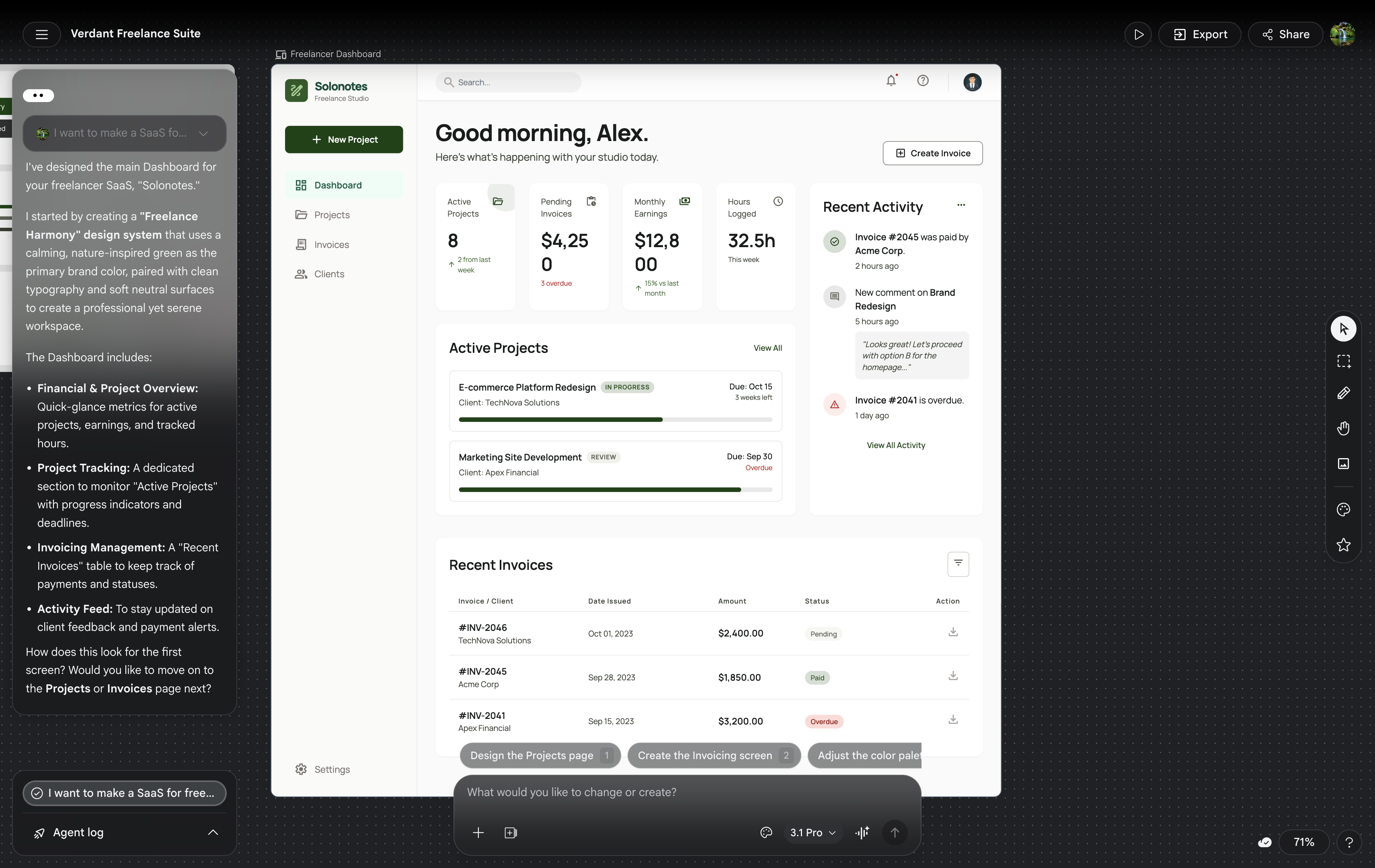
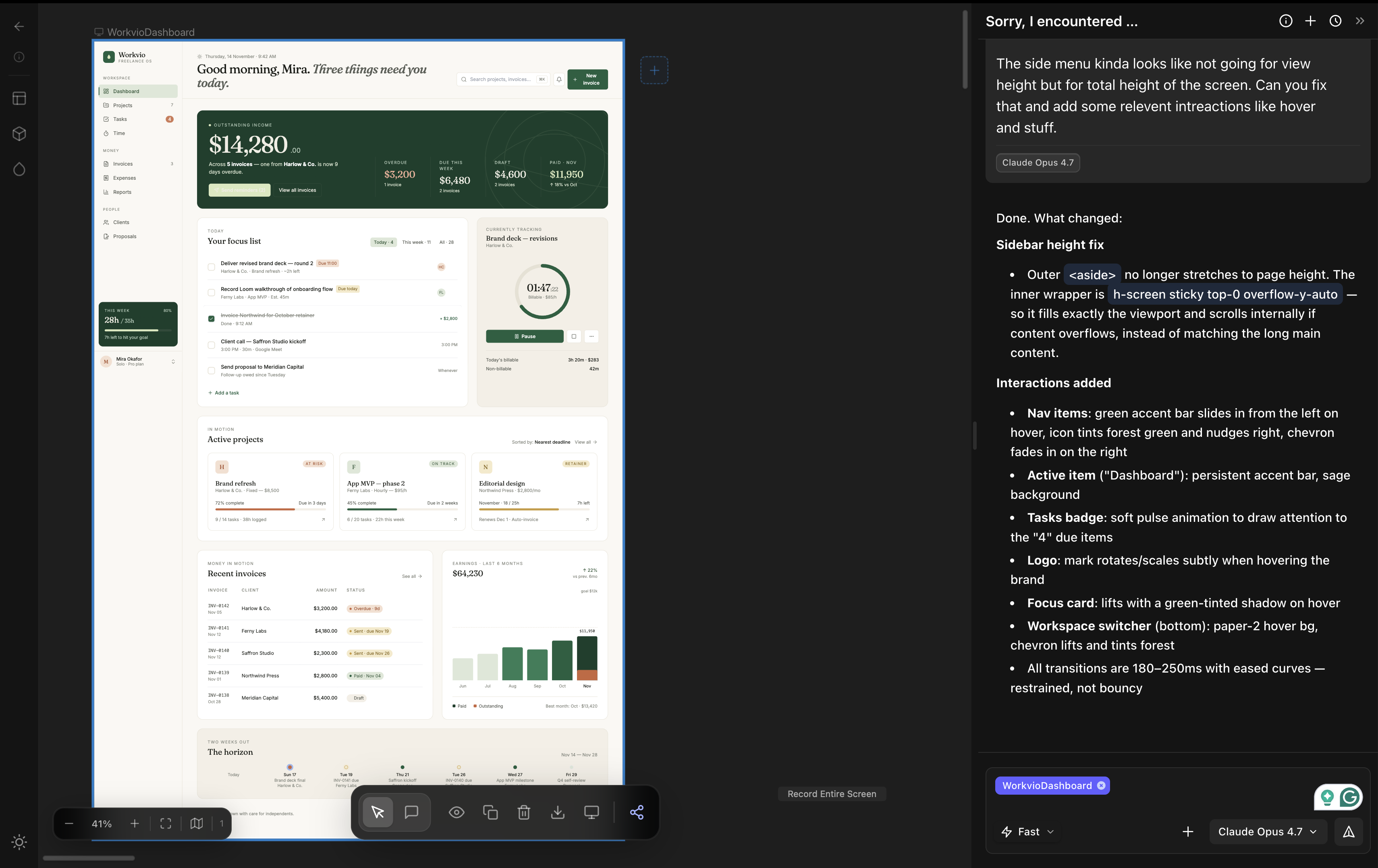
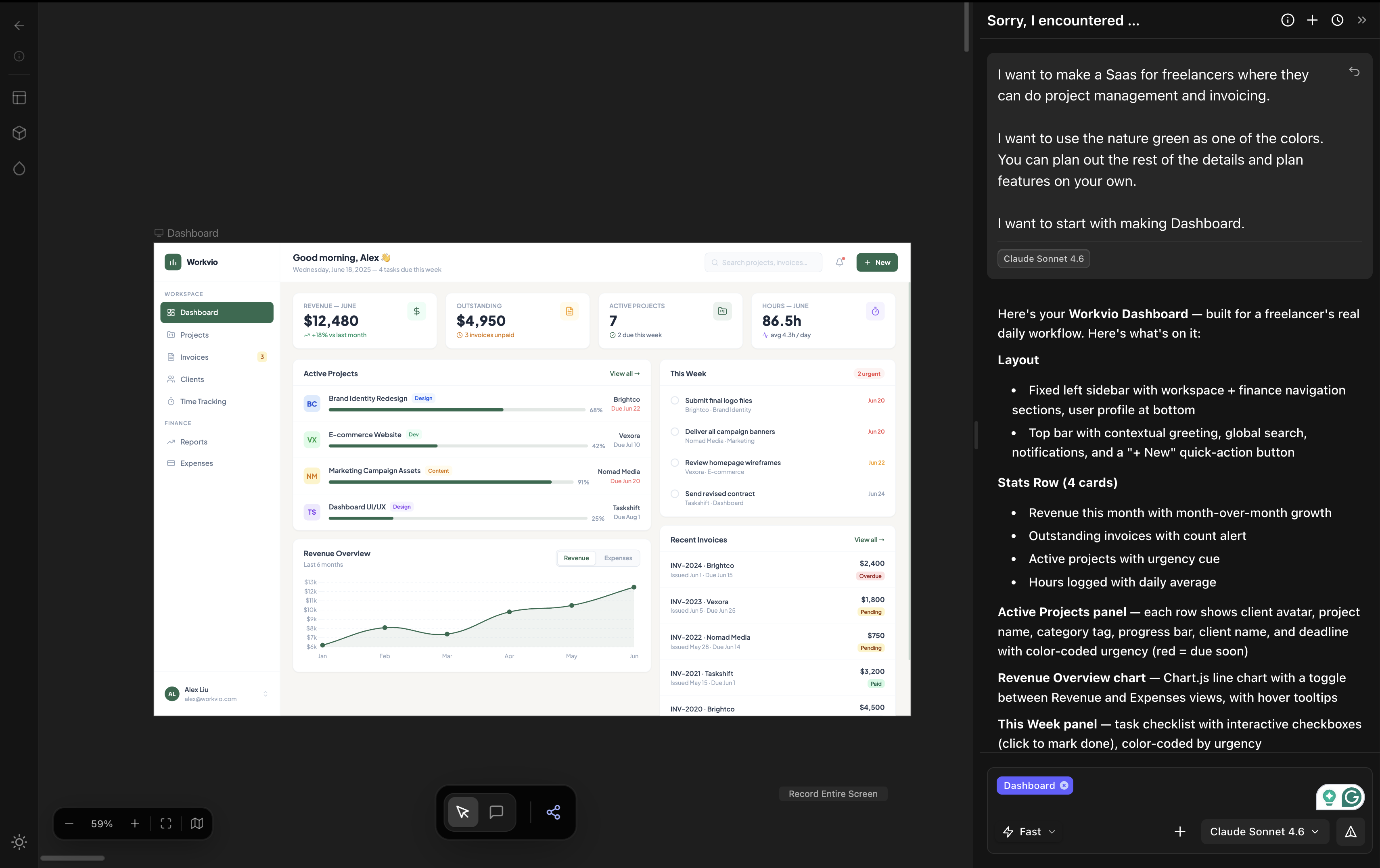
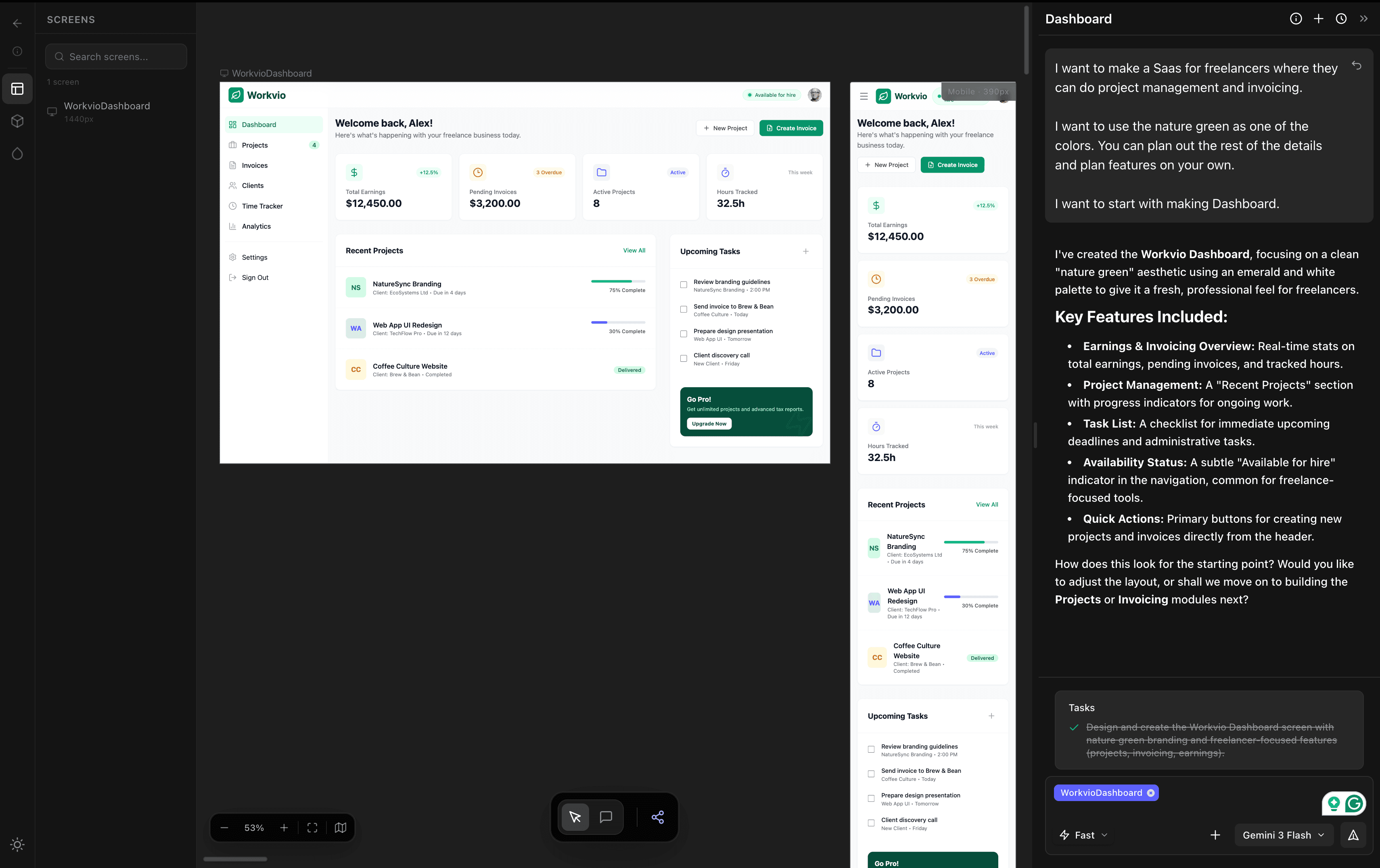
This is the workflow we run on real client work at dMaya. The video below shows a single session producing a multi-screen freelancer SaaS with Claude Opus 4.7 inside dMaya, on a canvas you can iterate on, with components consistent across screens.
The complete workflow has four steps. Each one solves a limit the skill cannot reach.
Step 1 of 4
Generate the full multi-screen design in dMaya
Open dMaya, paste the brief, and pick the model. Opus 4.7 for the hero direction. Sonnet for fast iteration. Gemini Flash for cheap exploration. The canvas is persistent. Components stay consistent across screens. Brand tokens get applied once and propagate to every screen you generate after. This solves limits #1 and #3 (consistency and monotony) on the first run.
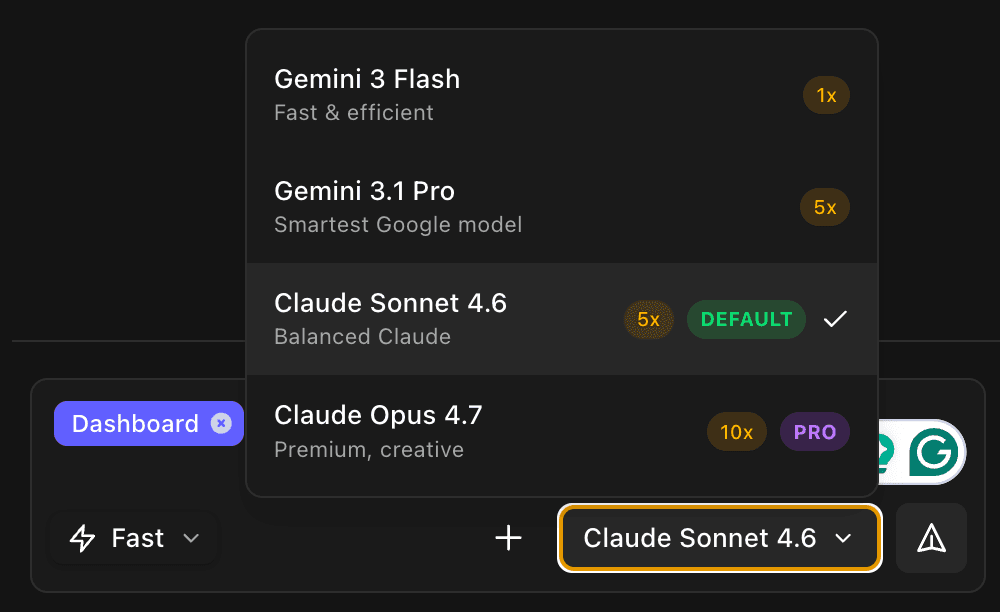
dMaya's model picker. Pick the model per generation, not per session.
Step 2 of 4
Review with the team and the client
Share a preview link. Get inline comments. Iterate on the parts that need work without regenerating from scratch. This is the part the skill cannot touch, and it is where most product decisions actually get made. This solves limit #4 (the review surface) outright.
Step 3 of 4
Export clean HTML
Not React, not Vue, not Flutter. HTML on purpose. HTML is the lowest-friction input for every coding agent: Claude Code, Cursor, Codex, Bolt, all of them. The export is deliberate, not a fallback. You hand off whatever stack you actually ship in, and the coding agent converts the HTML into it correctly because it has full freedom over the framework choice.
Step 4 of 4
Hand off to Claude Code (with the skill applied)
Paste the exported HTML into a new Claude Code session. Tell Claude what stack you ship in. The frontend-design skill runs at this step the way it was designed to: as a generation-time nudge on Claude's framework rewrite. The skill is not replaced. It moves to where it actually fits.
/frontend-design convert this HTML into Next.js with shadcn/ui components. Keep the spacing, typography, and component hierarchy exactly as designed.Need the design in Figma for stakeholder review before code? Send Claude Code's rendered output through our free Claude Code to Figma converter (unlimited, no MCP setup, no Figma paid plan required).
Skill alone vs. skill + dMaya: side-by-side
| Capability | Skill alone | dMaya + Claude Code |
|---|---|---|
| Single-screen aesthetic uplift | Yes | Yes |
| Multi-screen consistency | No | Yes (persistent canvas, shared components) |
| Brand and design-token integration | No (Impeccable adds partial) | Yes |
| Model picker (Opus / Sonnet / Gemini) | Tied to Claude Code session | Per generation |
| Client preview link | No | Yes |
| Inline comments / review | No | Yes |
| Output handoff to Claude Code | N/A (already in it) | Clean HTML, framework-agnostic |
| Burns Claude Pro session limit on every tweak | Yes | No (iterate in dMaya, spend Claude Code budget once on conversion) |
| Best for | Solo work, single component or screen | Real products, agency client work, anything multi-screen |
The skill is not the wrong tool. It is the right tool for a specific slice of the work. The broader the project, the more of the four limits you hit, and the more value moves to the surface that owns the design phase.
The hidden cost: Claude Pro session limits
The $20 Claude Pro plan has rate limits. Anthropic does not publish exact numbers, but in practice you get a usage window every 5 hours, and once you exhaust it, Claude Code locks you out until the window resets.
For design iteration, this is brutal. Every cosmetic change to a screen, a tweak to the headline, a new color try, moving a card down 16px, triggers Claude Code to regenerate the file. The skill does not save tokens here. It uses more, since the SKILL.md is loaded into context every time. Twenty design iterations across three screens can burn a full Pro window in under an hour, and you will spend most of that loop fine-tuning things that belong on a design canvas, not in a code agent.
You hit the limit, the loop breaks. The output is closer to what you want, not quite there, and now you are waiting until the window resets to keep going. The skill does not change this. Impeccable does not change this. Custom SKILL.md does not change this. You are billing every aesthetic decision against your Pro budget at code-generation rates.
The workflow above flips the economics. You iterate in dMaya, where the canvas is built for visual iteration: no 5-hour windows for design changes, no regeneration cost per cosmetic tweak, and you pick the model that fits the work (Opus for the hero pass, Gemini Flash for cheap exploration, Sonnet for everything in between).
When the design is locked, you hand it to Claude Code in one shot. The skill runs at that moment exactly the way it was designed to: as a generation-time nudge on a single, focused framework conversion task. You spend your Claude Pro budget on the one job Claude Code is actually best at, not on the fifty cosmetic iterations that happened before it.
For agency teams running multiple client projects in parallel, this is the largest cost difference between the two approaches. A full Pro window can disappear into one screen of one client's design tweaks. Or it can ship the production code for every screen of every project you finished designing in dMaya.
Pricing reality check
The skill itself is free and open source. You still pay for Claude Code, which requires a paid Claude plan. Claude Pro is $17 per month on annual billing or $20 per month monthly, and includes Claude Code plus skills access. Most users treat the skill as zero marginal cost on top of their existing Pro subscription.
dMaya Starter is $18 per month and runs Opus, Sonnet, and Gemini Flash through a single canvas with the workflow above. dMaya plus Claude Pro is roughly $35 to $38 per month for a setup that handles both ends: design phase on a real surface, build phase inside Claude Code with the skill applied. For most teams shipping more than one screen at a time, that is the right floor.
Claude Design (Anthropic's own design product, not the skill) is in research preview only for paid Claude subscribers and runs on Opus 4.7 only. We tested it head-to-head with dMaya and Google Stitch in this comparison, including video timings. Worth reading if Claude Design is on your shortlist.
When to reach for the skill, when to reach for more
Use the skill when
- · You are inside Claude Code on a single component or one screen
- · The output is for personal work, prototypes, or one-off pages
- · You want the aesthetic uplift without leaving the CLI
- · Brand and consistency are not a constraint for this build
- · You will hand off the result yourself, no client review step
Reach for a vibe design tool when
- · The project has multiple screens that need to feel like one product
- · Your brand is real and has to apply to everything
- · A client or a teammate has to review and approve the direction
- · You want to pick the model per generation (Opus, Sonnet, Gemini)
- · The build will eventually run through Claude Code or Cursor anyway
The honest bottom line
The frontend-design skill earned its 565,000 installs. It does what a single prompt can do, which is real. It is also a skill, and skills are the wrong abstraction for product UI work that has to be consistent across many screens, aligned to a brand, reviewable by someone who is not in the CLI, and shipped on a deadline.
The right framing is not skill vs. tool. It is skill plus tool. Use a vibe design tool to own the design phase. Use Claude Code with the skill (or Impeccable, or your own custom SKILL.md) to own the build phase. Hand the work between them through clean HTML.
Anthropic shipped the skill to fix the look of one screen at a time. That is what it does. The work that ships product is the work between screens, and the work between people, and the work that survives a design review with a client. That work needs more than a prompt.
Run the workflow above on your next project.
dMaya handles the design phase on a real canvas, with model picker (Opus, Sonnet, Gemini Flash) and clean HTML export to Claude Code. Plans start at $18/mo.
Start Designing