AI Design Workflows · 2026 Guide
You're not really converting Figma to code. You're designing in the wrong tool first.

You know the drill. You open Figma. You build a screen. You run it through Anima or Builder.io or Locofy or whichever plugin is in fashion this quarter. You get back a folder of React components. You open your editor. You spend the next three hours deleting inline styles, rewiring layout, rebuilding the component library mapping, and fixing the handful of components the tool failed to detect.
In 2026, that workflow is one generation behind. The winning move is not a better Figma-to-code plugin. It is skipping Figma for the design step entirely, exporting clean HTML, and letting your coding agent (Cursor, Claude Code, Bolt) do the conversion into the framework you actually ship in. This post walks through why the old workflow keeps falling short, what the new one looks like, and how to try it this afternoon.
The current Figma-to-code workflow, honestly
Before the argument, the credit. Tools like Anima, Builder.io Visual Copilot, Locofy, and Figma's own Dev Mode with MCP have legitimately changed how design hands off to development. For isolated components and simple marketing pages, they work. The plugin scene got good.
The problem is not the plugins. The problem is what you are asking them to do. You are asking a conversion layer to translate a tool built for visual fidelity (Figma) into a tool built for runtime behavior (code). That translation is probabilistic. Every real project hits the seam between those two where the translation leaks.
The question worth asking is not "which plugin leaks least?" It is "do I need this conversion step at all?"
Where plugin-based Figma-to-code keeps falling short
Four failure modes show up in almost every real project. None of them are bugs the tools can just fix, because they are inherent to the "convert a Figma file" framing.
1. Component detection is probabilistic
The tool has to guess which clusters of shapes are "a button" and which are just shapes that happen to sit near each other. It misses. You get divs where you expected a component, and components that should have been reused inline-duplicated instead. The cleanup cost scales with the screen count.
2. Output is framework-specific and brittle
Most plugins output React. If you ship Vue, Flutter, Svelte, React Native, or PHP, you are translating twice: Figma to React, then React to your stack. Each translation loses fidelity. Each one requires cleanup. The "it works for any framework" claim on the marketing page rarely survives a real project.
3. Auto-layout rarely maps cleanly to Flexbox and Grid
Figma's auto-layout is a simplified model of CSS layout. When the tool converts it, you get output that is technically valid but does not behave like code a human would write. Resizing breaks, min-widths drift, content that should wrap doesn't. The first breakpoint audit becomes a rewrite.
4. Design tokens get flattened into inline values
Your Figma file has color tokens, type scale, spacing tokens. Plugin output frequently loses them and pastes hex codes and pixel values inline. Now your theming is broken and every color change is a 200-file edit. The design system you built does not survive the handoff.
Any one of these is manageable. All four together, on a 20-screen project, is the reason "Figma to code" became synonymous with "a weekend of cleanup" for most dev teams that have actually tried it.
The workflow that replaces it
Three steps. It only works because both halves of it, prompt-first design and agentic coding, got good in the same six months.
1. Design in a prompt-first tool, not Figma.
Open dMaya. Describe what you need. The canvas fills in with a real design, tied to a design system that stays consistent across every screen you generate after it. No Figma file. No auto-layout translation problem. The output is already structured like code because it was built with code in mind from the first prompt.
2. Export clean HTML, not React.
This is the move most Figma-to-code tools can't make, because their premise is that React is the output. dMaya exports HTML on purpose. HTML is framework-agnostic, semantic, and it is the lingua franca every coding agent already speaks fluently.
3. Hand the HTML to your coding agent.
Give Cursor, Claude Code, or Bolt the exported HTML plus your project context. The agent converts to React, Vue, Flutter, React Native, or your stack, in code that matches your conventions (component library, state patterns, folder structure, tests). The output fits, because the agent already knows your codebase. No plugin-generated code to reverse-engineer.
The whole argument is that you should stop thinking about "Figma to code" as a conversion problem and start thinking about it as a design problem and a code problem, each solved by the right tool. Design gets done in a tool built for prompt-first generation. Code gets done by an agent that already understands your repo. The conversion step disappears, which is the step that was leaking in the first place.
What a real run looks like
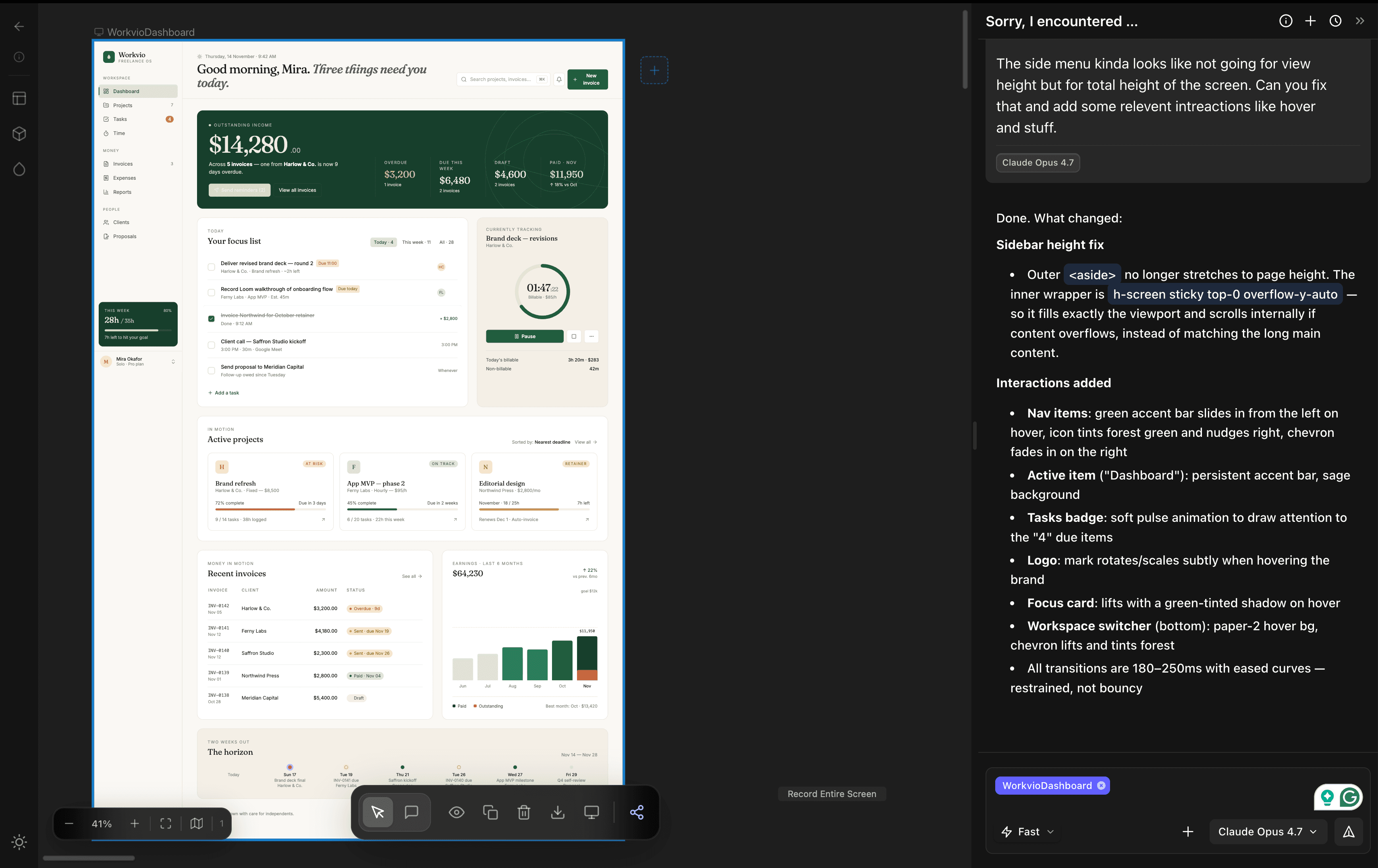
Here is dMaya producing a freelancer SaaS dashboard from one prompt, running Claude Opus 4.7. Two and a half minutes end to end. The output is the canvas you see, not a picture of a canvas. Export is one click.
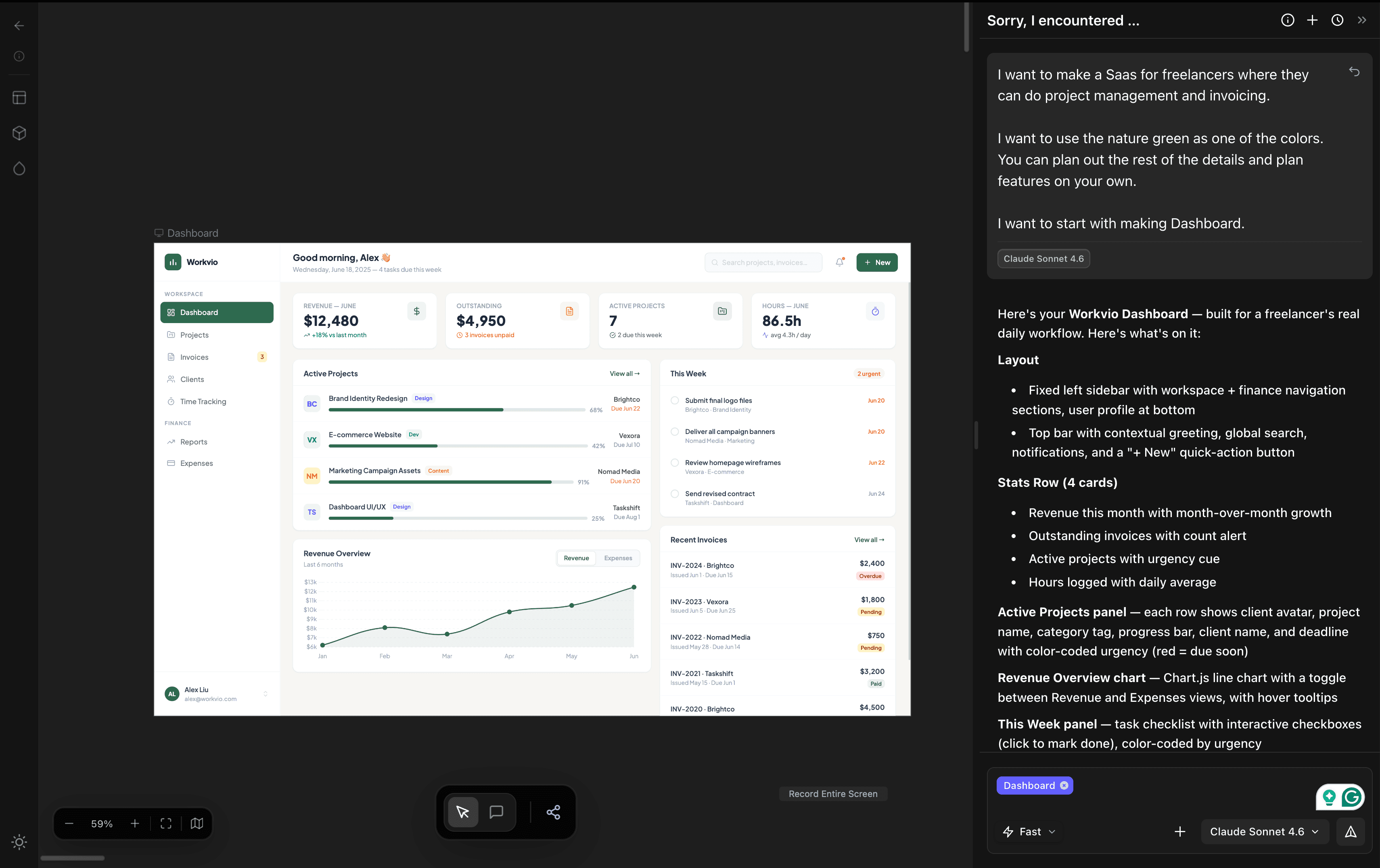
We ran the identical prompt against Claude Design and Google Stitch the same day. dMaya on Opus was about 4× faster than Claude Design on the same model, at roughly a tenth of the cost per run. Full numbers and videos in the same-prompt comparison.
Old workflow vs new, side by side
| Figma + plugin | dMaya + coding agent | |
|---|---|---|
| Start of project | Build a Figma file, then convert | Describe what you need, skip Figma |
| Design consistency | Depends on your Figma discipline | Enforced across every screen by default |
| Output format | React (usually); fragile for other stacks | HTML, then whatever your agent converts to |
| Framework flexibility | Pick a plugin per framework | Agent handles React, Vue, Flutter, RN, PHP |
| Fits your codebase | Generic output, needs refactoring | Agent already knows your conventions |
| Cleanup time | Hours to days per screen | Minutes; agent-shaped from the start |
| Client iteration loop | Redesign in Figma, reconvert, re-cleanup | Reprompt on canvas, re-export, done |
What if I already have a Figma file?
Fair question. If your project is already modeled in Figma and throwing it away is not an option, plugin-based conversion is still the right reach. Anima, Builder.io Visual Copilot, and Locofy are the ones we would try in that order. Figma Dev Mode with MCP is decent if your team is deeply invested in the Figma stack.
For comprehensive plugin reviews, the current best lists are AIMultiple's design-to-code comparison and AIDesigner's 8 Best Figma to Code Tools. Both cover the conversion category well.
But the next new project is the one to think about. If you do not yet have a Figma dependency, the question stops being "which plugin?" and starts being "do I want one at all?"
Why this is the workflow that wins
Two things happened in 2026 that the old workflow did not anticipate. First, coding agents got genuinely good at generating framework-specific code from a spec. Cursor, Claude Code, and Bolt now write code that fits a project's conventions better than most off-the-shelf plugins. Second, prompt-first design tools started producing production-grade output instead of sketches.
Those two shifts meet in the middle at clean HTML. The design tool can produce it. The coding agent knows what to do with it. The plugin that used to live between them is extra.
The teams that notice this first ship faster, iterate in front of clients in real time, and stop paying the tax that every Figma-to-code conversion has always charged. The teams that don't will still be waiting for the next plugin to fix the component detection problem.
Related reading
- What is vibe design? for the category definition, what it is and isn't, and how a real session goes.
- Vibe coding vs vibe design for when to reach for each, and when to reach for both in the same project.
- Google Stitch vs Claude Design vs dMaya for the same prompt across three tools, with real time and cost recorded.
- How the dMaya HTML export works for the feature page with export details.
- Going the other direction: free HTML to Figma converter for converting code, URLs, or AI tool output back into editable Figma layers.
Frequently Asked Questions
Skip the plugin. Try the new workflow.
Describe a screen. Watch the canvas fill in. Export HTML. Hand it to your agent.
Start Designing