AI Design Workflows
Vibe Coding vs Vibe Design: When Each One Wins

If you have been following AI tools, you have heard of vibe coding. Describe what you want in plain English, the AI writes the code. There is a parallel movement that does not get as much airtime: vibe design. Same prompt, different output. One hands you code. The other hands you a design. For solo builders the distinction is academic. For anyone who has to get a visual approved before someone starts shipping, it is the whole ball game.
What is Vibe Coding?
Term coined by Andrej Karpathy. Instead of writing code yourself, you describe what you want and an AI writes it. You stay in flow. You do not worry about syntax. The archetypal tools are Cursor, Claude Code, Lovable, Bolt.new, and Replit. Some generate individual components, others spin up full-stack apps with databases and deployment.
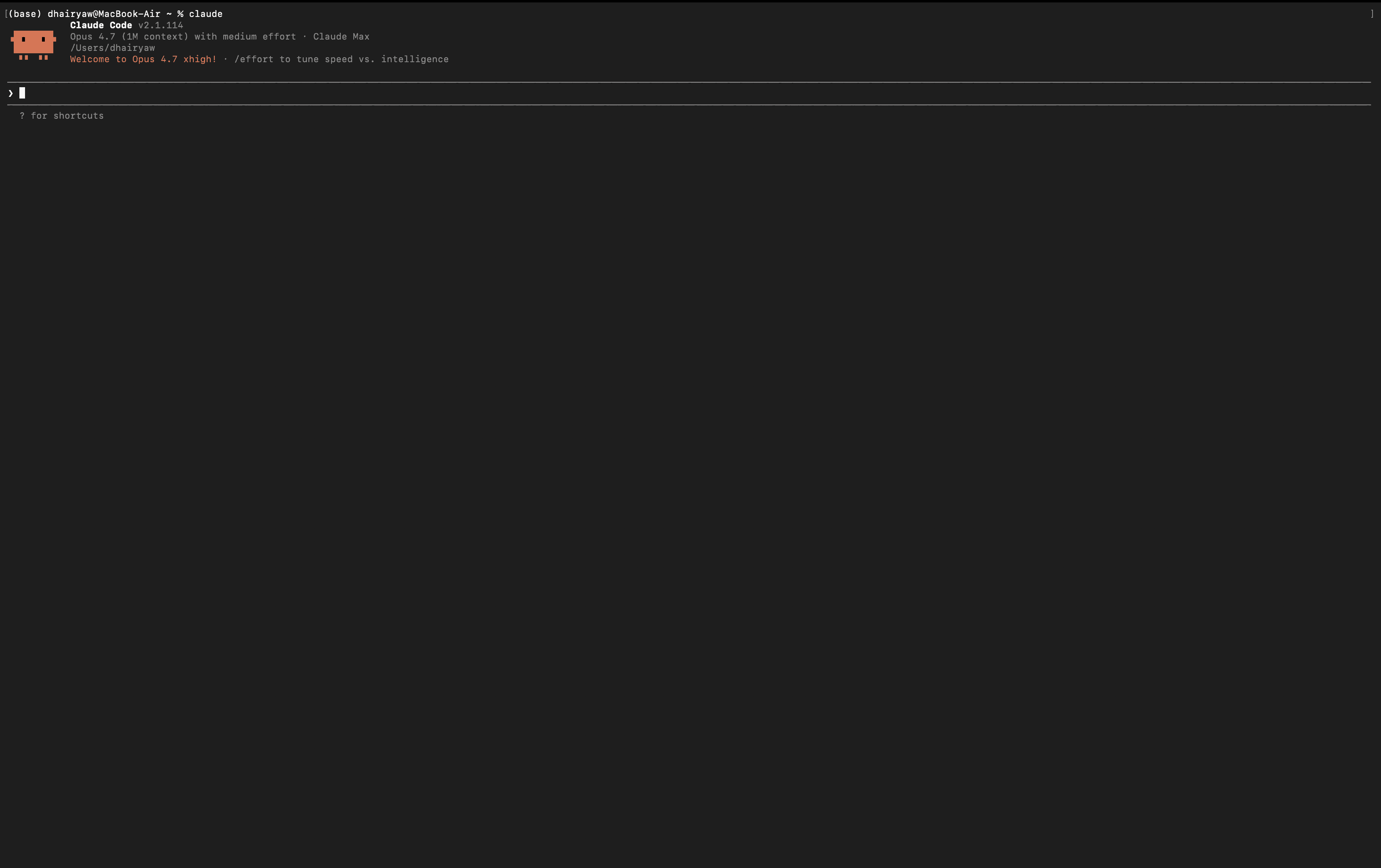
The output of vibe coding is always code. A running app, a component, a function. The AI makes every visual decision unless you tell it otherwise. That is fine for a prototype or a single-page demo. It breaks down on bigger projects: with 20 screens, the AI makes different design choices on each one. There is no shared design system, no visual memory between prompts. Colors drift, spacing varies, and the result looks like it was built by a different person on every page.
What is Vibe Design?
Vibe design takes the same natural language input and produces a visual instead of code. You get a mockup on a canvas you can review, iterate, and present to stakeholders. Tools include dMaya, Google Stitch, and to some extent Figma AI. They generate complete page layouts, not code blocks. You see the result visually, not in a terminal.
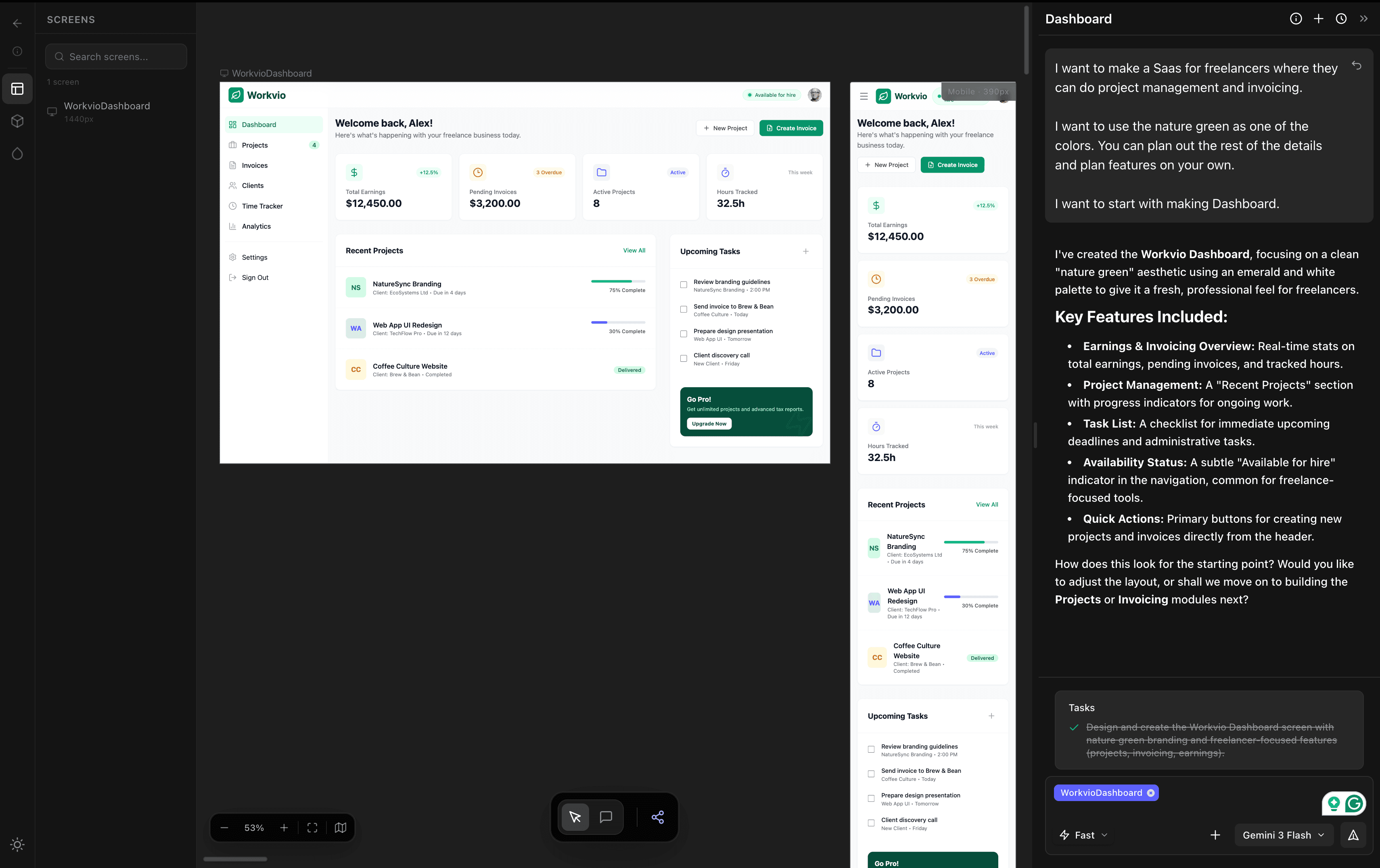
The output is always a visual. A screen layout, a page, a set of mockups tied to a shared design system that does not drift between screens. Code comes later, as an export step after the design is reviewed and approved.
The Key Differences
| Vibe Coding | Vibe Design | |
|---|---|---|
| Output | Code or running app | Visual design on a canvas |
| How you review | Read code, run the app | Look at the design |
| Client presentation | Send a staging link | Share a design preview link |
| Iteration | Re-prompt or edit code | Chat-based visual refinement |
| Design system consistency | Usually drifts across screens | Built-in tokens and components |
| Typical turnaround | Minutes to a running prototype | Minutes to an approved design |
| Version control fit | Git diff, PRs | Versioned canvas, preview links |
| Best for | Developers, solo builders | Designers, agencies, product teams |
Why the Distinction Matters
In professional workflows, design comes before development. That is not a suggestion, it is how agencies, product teams, and client-facing work operates. Someone has to see what the thing will look like before someone starts building it.
Vibe coding skips that step. You go straight from description to code. The AI decides how it looks. For personal projects, fine. For client work where someone is paying and has strong opinions about visual direction, skipping design creates real problems. You cannot send a client a staging URL and call it a design review. You cannot tell them "the AI changed the whole app when we tried to move a button." That is a tool for demos, not commitments.
Vibe design preserves the review step. It just compresses it. You still present visual concepts, still get feedback, still iterate. You just do it in minutes instead of weeks.
When Each Approach Wins
Reach for vibe coding when
- · You are a developer building something for yourself
- · Speed to a running app is the priority
- · Nobody else has to approve the visual direction
- · You are comfortable with AI defaults for look and feel
- · You are prototyping to validate a technical idea, not a design
Reach for vibe design when
- · You need to present designs to clients before any code is written
- · Multiple people have to review and sign off on the direction
- · Design consistency across screens actually matters
- · You will hand off to developers or coding agents for the build
- · You are an agency, product team, or freelancer with a structured workflow
A Quick Decision Check
Using Both Together: Design First, Code Second
For professional teams, the best flow uses both. Vibe design first, vibe coding second.
Start in dMaya. Describe the project. Generate the design. Iterate with your team. Share preview links with clients. Refine through comments until everyone is aligned. When the design is approved, export the HTML and hand it to Cursor, Claude Code, or whatever coding tool your team already uses to convert it into React, Flutter, React Native, PHP, or your stack of choice.
dMaya exports HTML on purpose, not React. The point is not to be an end-to-end platform. Teams have their own coding tools and their own stacks. Our job is one specialized step: the design phase, with a design system that stays consistent across every screen. Then we hand off clean markup to the agentic code tool you were already going to use.
The bet behind this: end-to-end "prompt to production app" tools like Lovable and Bolt are useful, but agencies are not going away. They are 95% of where software actually gets paid for. Just like WordPress and Shopify did not kill agency work, vibe coding will not either. The agency workflow needs a design review step that is not slower than the build step. That is the gap vibe design fills.
See how that maps against the AI design tools agencies actually compare: Google Stitch vs dMaya, Claude Design vs dMaya, or read about the design-to-code export.
Frequently Asked Questions
Design first. Code second.
Try the design step agencies actually ship with. Plans start at $18/mo.
Start Designing