Lovable · 2026 Hands-On Review
Lovable Review (2026): Hands-On Test, Honest Output, and How It Stacks Up

Lovable's pitch is good. Chat with an AI, get a running web app back. No code required, no design tool needed, deploy in one click. The reality after running the same prompt we used across six AI tools: average output quality, slowest of the coding-first tools at about 5 minutes for the first prompt, smoothest chat iteration loop, and the Pro tier ($25/mo) is the realistic floor for multi-screen evaluation.
We are dMaya, one of the tools Lovable competes with on the design phase. The videos below are real, generated from the same prompt every other tool got. We are showing Lovable's output and dMaya's output side by side so you can judge the quality difference directly. We are not neutral, but the output is real.
This is the full review: hands-on output, exact pricing, where Lovable wins, where it falls short, and what to use when Lovable is not the right fit.
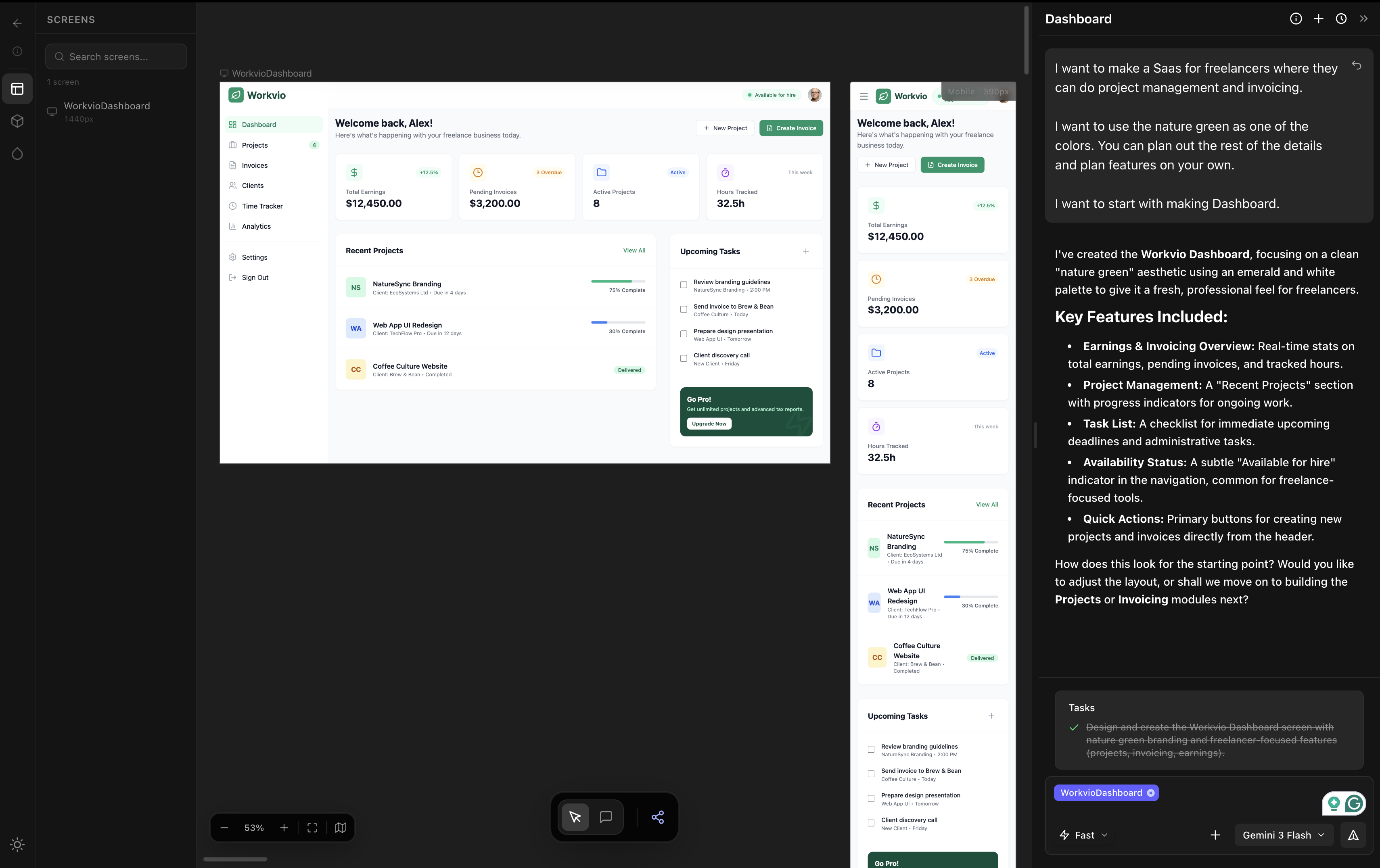
For comparison, here is the same prompt run through dMaya with Claude Opus 4.7 (multi-screen output: dashboard, time tracking, all projects):
Want Lovable's UI in Figma? Free unlimited Lovable to Figma converter, no signup.
What Lovable actually is
Lovable is a vibe coding tool: chat with an AI, get a running web app back. The output is a real deployed application, not a static mockup. You describe what you want, the AI generates frontend, backend, database, and authentication, and you click through a working product. Iteration happens via chat: tell the AI what to change, watch the running app update.
It is one of the most-used tools in the vibe coding category, alongside Bolt, v0, and Replit. The strategic positioning is non-developer accessibility: you do not need to read code to use it productively, and the chat-driven iteration loop is the smoothest among coding-first tools.
It is not a vibe design tool. It generates running apps, not designs. The output type matters because the question of how the app should look is being decided by the AI in the same generation that decides how the app should work. We will get back to that distinction at the alternatives section.
The hands-on test
Same brief we ran across all six tools in our full prototype tool comparison:
I want to make a SaaS for freelancers where they can do project management and invoicing.

I want to use the nature green as one of the colors. You can plan out the rest of the details and plan features on your own.

I want to start with making Dashboard.
Lovable took about 5 minutes for the first prompt. The dashboard generated as a working application with navigation, components, and a deployable URL. Output looked average: better than v0 visually, behind Bolt and dMaya on typography commitment, color discipline, and spacing rhythm. The chat-driven iteration loop worked well for follow-up tweaks.
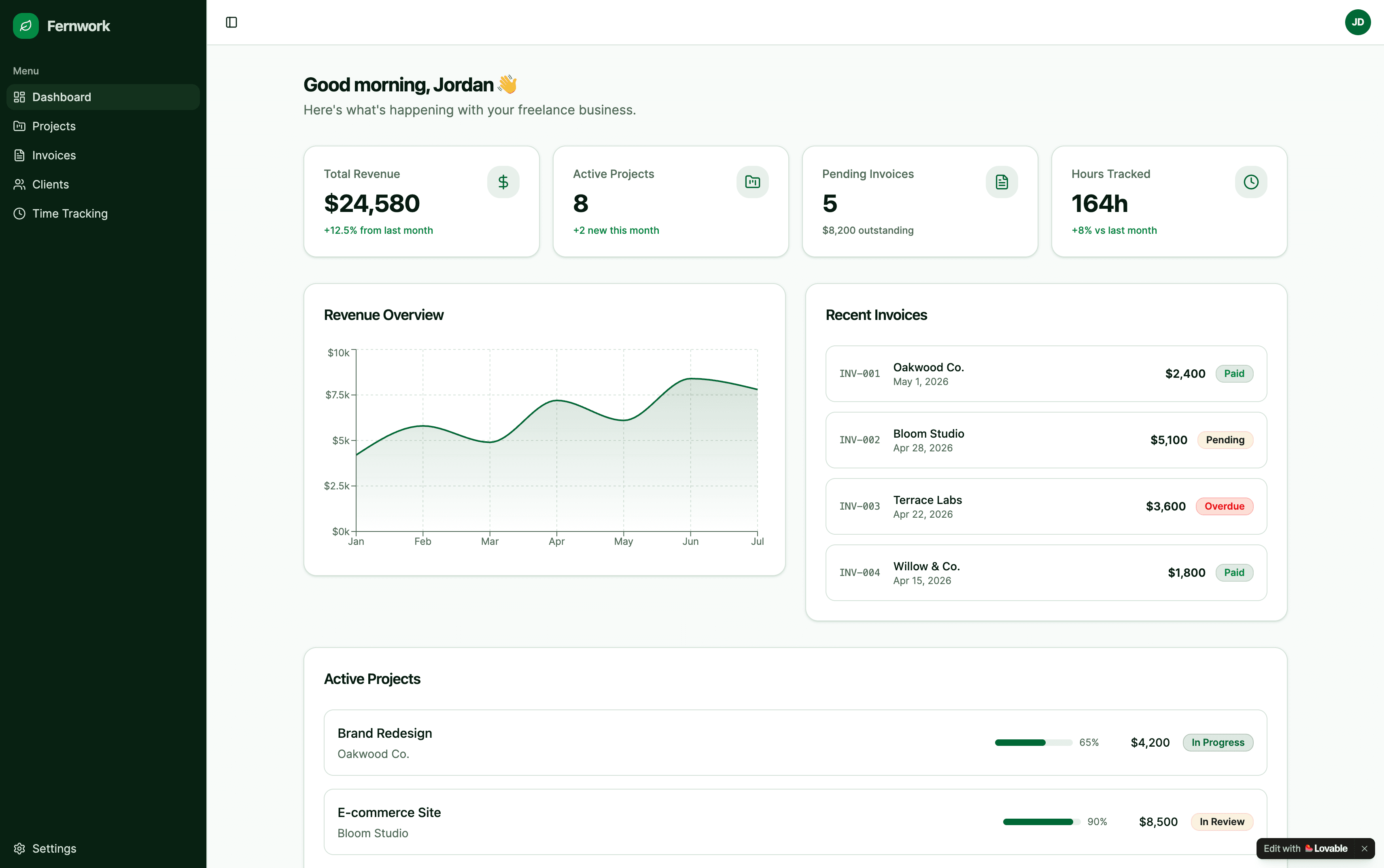
For our test, the free tier covered the dashboard generation. Continuing to additional screens (time tracking, all projects) required upgrading to Pro at $25 per month, which is a normal cost for a paid AI tool of this category. We mention the credit math because it shapes evaluation budgets, not because it is a knock against Lovable specifically.
Where Lovable wins
- Chat-driven iteration. The smoothest chat loop of the coding-first tools. Tell the AI what to change in plain language, watch the change happen. For non-developers, this is the lowest-friction iteration model in the category.
- Non-developer accessibility. You do not need to read code to use Lovable productively. Code stays mostly hidden until you need it. Among the coding-first tools, Lovable has the highest comfort floor for product managers and founders without engineering backgrounds.
- Full-stack output. Real running app with frontend, backend, database, and authentication scaffolded. Deploy in one click. For solo MVP work where the deliverable is a live URL, this is genuinely useful.
- Credit rollover on Pro. Unused credits roll forward, which is more designer-friendly than tools where credits expire monthly. If your work is bursty, Pro plus rollover stretches further than headline numbers suggest.
Where Lovable falls short
1. Output quality is average
On the same brief we ran across six tools, Lovable produced output that ranked third among the coding-first tools. Bolt was clearly stronger on typography commitment and color discipline. dMaya with Claude Opus or Sonnet was clearly stronger on multi-screen consistency and overall polish. Lovable output looked acceptable but not committed: layout decisions felt safe rather than directed, color choices respected the brief but did not amplify it.
2. Slowest of the coding-first tools
About 5 minutes for the first prompt. Bolt was ~3 min. v0 was under 2 min. Speed varies by complexity, but in our test Lovable was consistently the slowest of the coding-first tools. For one-off generations the speed difference is acceptable. For iterative work where you generate, review, regenerate, the speed gap compounds.
3. Pro tier required for multi-screen evaluation
Lovable's free tier covers single-screen exploration; multi-screen work needs Pro at $25/month. This is consistent with most paid AI tools in the category (dMaya is $18/mo Starter, Bolt is $25/mo Pro, etc.). Plan the $25/month into your evaluation budget. The cost is not unique to Lovable; it is the floor for serious AI tool evaluation in 2026.
4. No design phase before code
Lovable jumps straight to running app from a single prompt. There is no design canvas where you settle the visual direction, no preview link for non-technical stakeholders to review, no brand-token integration before generation. For solo work this is fine. For client work or team work where a designer or stakeholder has to approve the look before development, Lovable skips the phase that decision should happen in.
Workaround when stakeholders need Figma: paste your Lovable preview URL into our free Lovable to Figma converter to get editable Figma layers for review.
Pricing reality
| Tier | Price | Credits | Notes |
|---|---|---|---|
| Free | $0 | Limited | Exhausts fast (single screen in our test) |
| Pro | $25/month | 100/mo + 5 daily (~150/mo) | Credit rollover; right floor for evaluation |
| Business | $50/month | 100/mo | Same credits as Pro, team features |
| Enterprise | Custom | Volume-based | Contact sales, demo required |
For comparison: Bolt Pro is also $25/mo with 10M tokens (rolling). v0 has free tier with more generous limits than Lovable in our test. dMaya Starter is $18/mo and covers the design phase before any of these tools touches code. Most users running serious work end up paying $25 per month for one of these coding-first tools regardless of which they pick.
Lock the design before Lovable burns your credits.
dMaya runs the design phase end-to-end on a multi-screen canvas, then exports clean HTML to Lovable, Bolt, or any coding agent. Plans start at $18/mo.
Start DesigningWhat to use instead
Three honest alternatives, depending on what Lovable is failing for you.
| If Lovable fails on | Reach for | Why |
|---|---|---|
| Output quality | Bolt | Highest output of the coding-first tools in our test, similar pricing to Lovable ($25/mo Pro). See our Bolt review. |
| Speed and Vercel stack | v0 | Fastest of the three (under 2 min), lowest friction for Next.js + shadcn workflows, more generous free tier in our test. |
| Multi-screen design before code | dMaya | Vibe design tool with model picker (Opus, Sonnet, Gemini Flash), multi-screen canvas, brand-aware, clean HTML export ready to hand to Lovable, Bolt, or Cursor. $18/mo Starter. |
Full same-prompt comparison with all six tools tested side by side, with videos: The Best AI Prototype Tool in 2026.
When Lovable is the right call
Use Lovable when
- ✓ Chat-driven iteration matters most
- ✓ You do not write code and want it mostly hidden
- ✓ Solo MVP work where deliverable is a live URL
- ✓ You will pay for Pro at $25/mo for real evaluation
- ✓ Output quality is acceptable as a starting point you will refine
Skip Lovable when
- ✗ Output goes to a client and visual polish must be high
- ✗ Multi-screen consistency is non-negotiable
- ✗ Brand integration matters from generation one
- ✗ You need stakeholders to review the visual before code
- ✗ Speed matters more than chat iteration
The fairest read on Lovable in 2026: it is a strong chat-iteration tool with average output quality. Pick it when chat is your primary interaction model and accept the output quality trade-off. Pick something else when output quality, multi-screen consistency, or design-before-code workflow matters.
For the broader picture on how Lovable ranks against the rest of the AI tool category, see the full 6-tool comparison or the coding-first three-way comparison.
The design phase before Lovable. Done right.
dMaya runs Opus, Sonnet, and Gemini Flash on a multi-screen canvas with HTML export ready for Lovable, Bolt, or any coding agent. Plans start at $18/mo.
Start DesigningKeep reading
Hands-on review
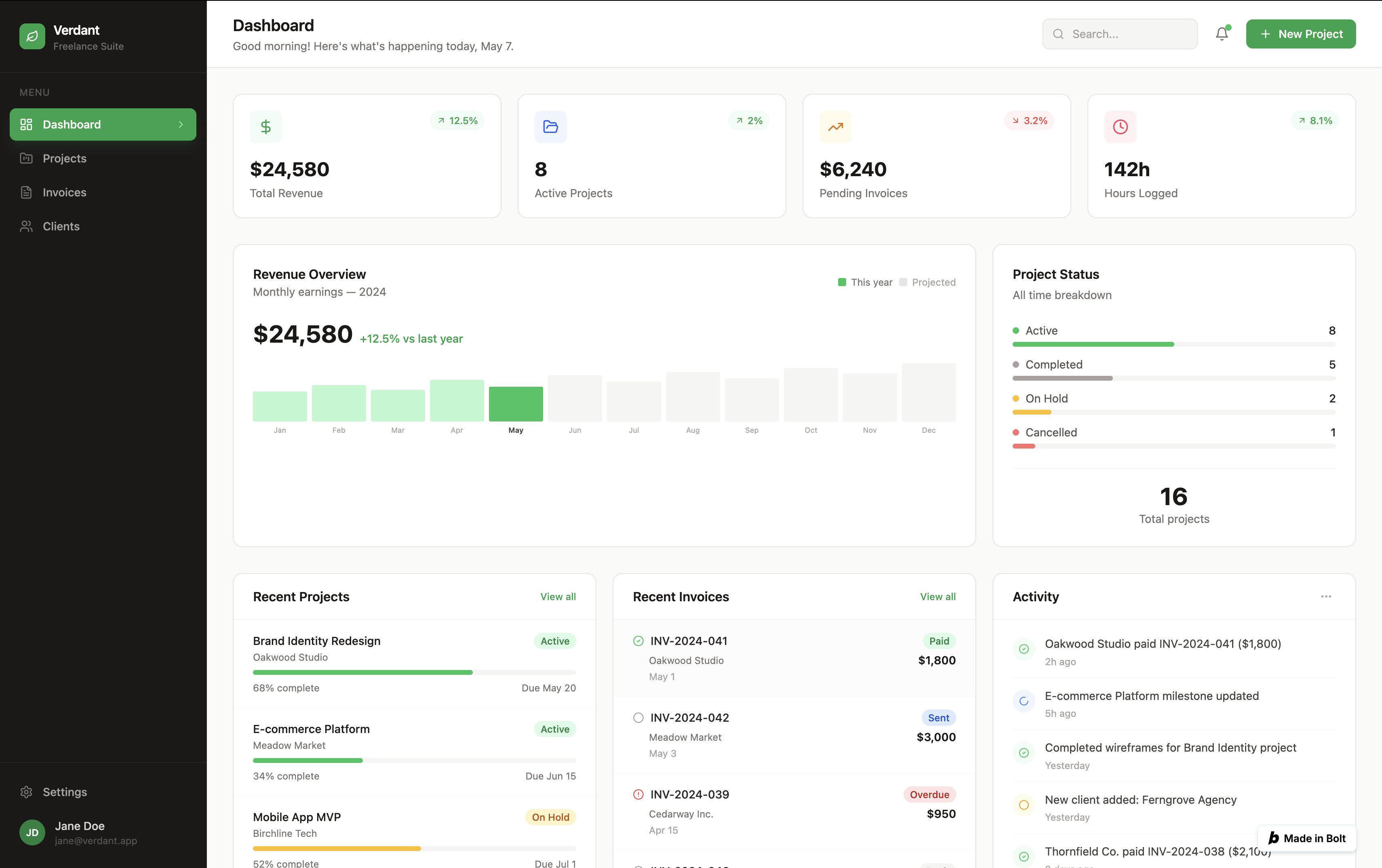
Bolt.new Review (2026)
Best output of any coding-first tool tested. Free credit caveat included.
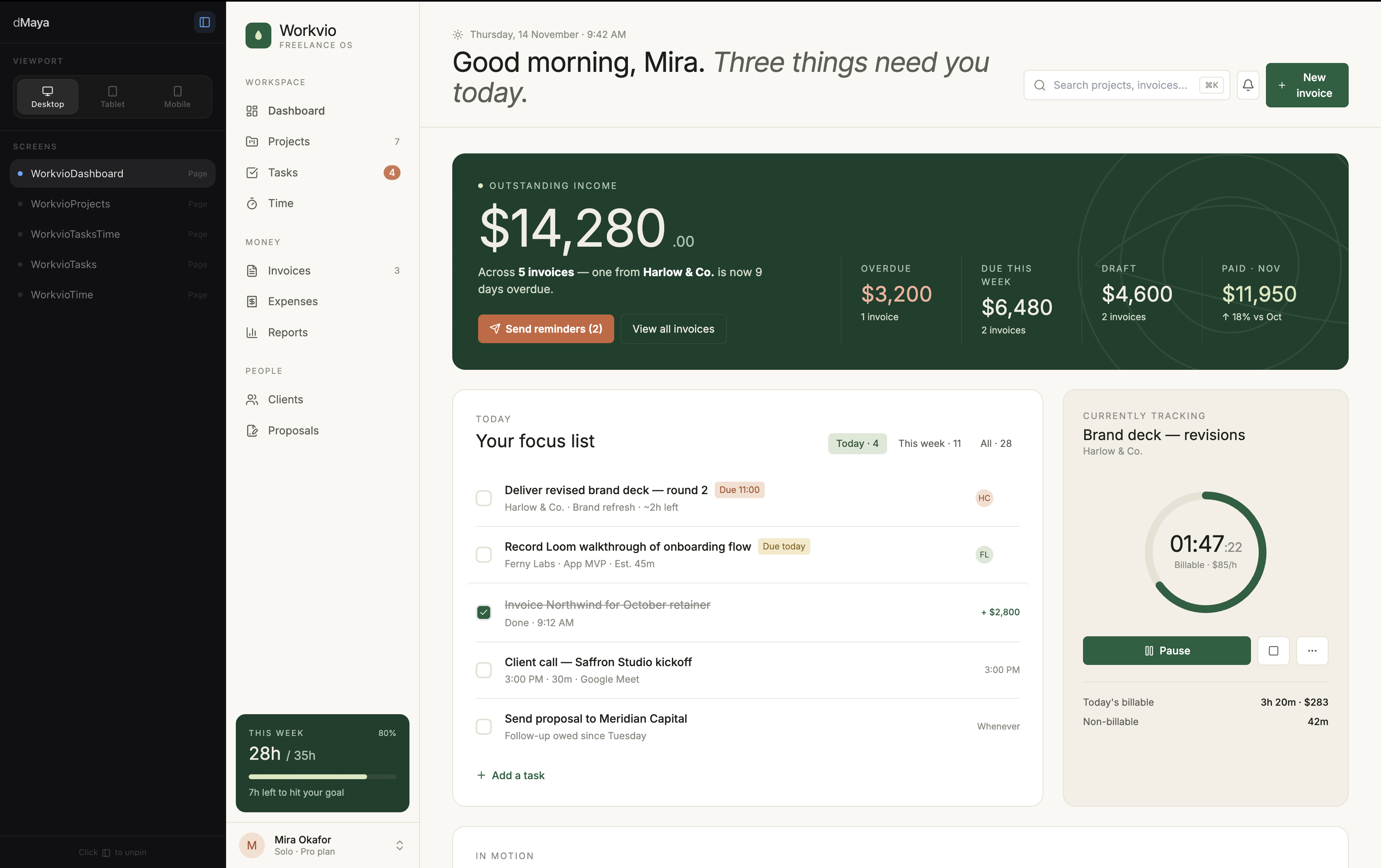
6-tool test
The Best AI Prototype Tool in 2026
Same prompt, six tools, real videos, honest ranking.
The category
Vibe Design: The Definitive 2026 Guide
Definition. 5 tools compared. Real timings.