Vibe Coding Tools · 2026 Hands-On for Designers
Lovable vs Bolt vs v0 for Designers (2026): Same Prompt Tested

Lovable, Bolt, and v0 are the three vibe coding tools designers ask about most in 2026. All three generate running app prototypes from a prompt. None of them are designer-first tools: they are coder-first tools that produce running apps, and the visual output is a side effect of how well the underlying model translates prompts into UI.
We ran the same brief through all three. Same prompt, same hour, same evaluator. Real videos embedded below. We are dMaya. The honest ranking puts Bolt highest of the three, but the gap with the highest-quality vibe design tools (including dMaya) is real and worth knowing if you are a designer choosing among these.
The brief, exactly as given to each tool: a SaaS for freelancers with project management and invoicing, nature green as a color, dashboard first. Same prompt to all three.
Want Bolt, Lovable, or v0 output in Figma? Free unlimited HTML to Figma converter, no signup.
The test setup
Same prompt to each tool. We followed up only when an output had a small visible bug worth fixing. We never re-prompted for a complete redesign. For multi-screen, we used a single follow-up prompt asking for additional screens (time tracking, all projects).
The brief:
I want to make a SaaS for freelancers where they can do project management and invoicing.

I want to use the nature green as one of the colors. You can plan out the rest of the details and plan features on your own.

I want to start with making Dashboard.
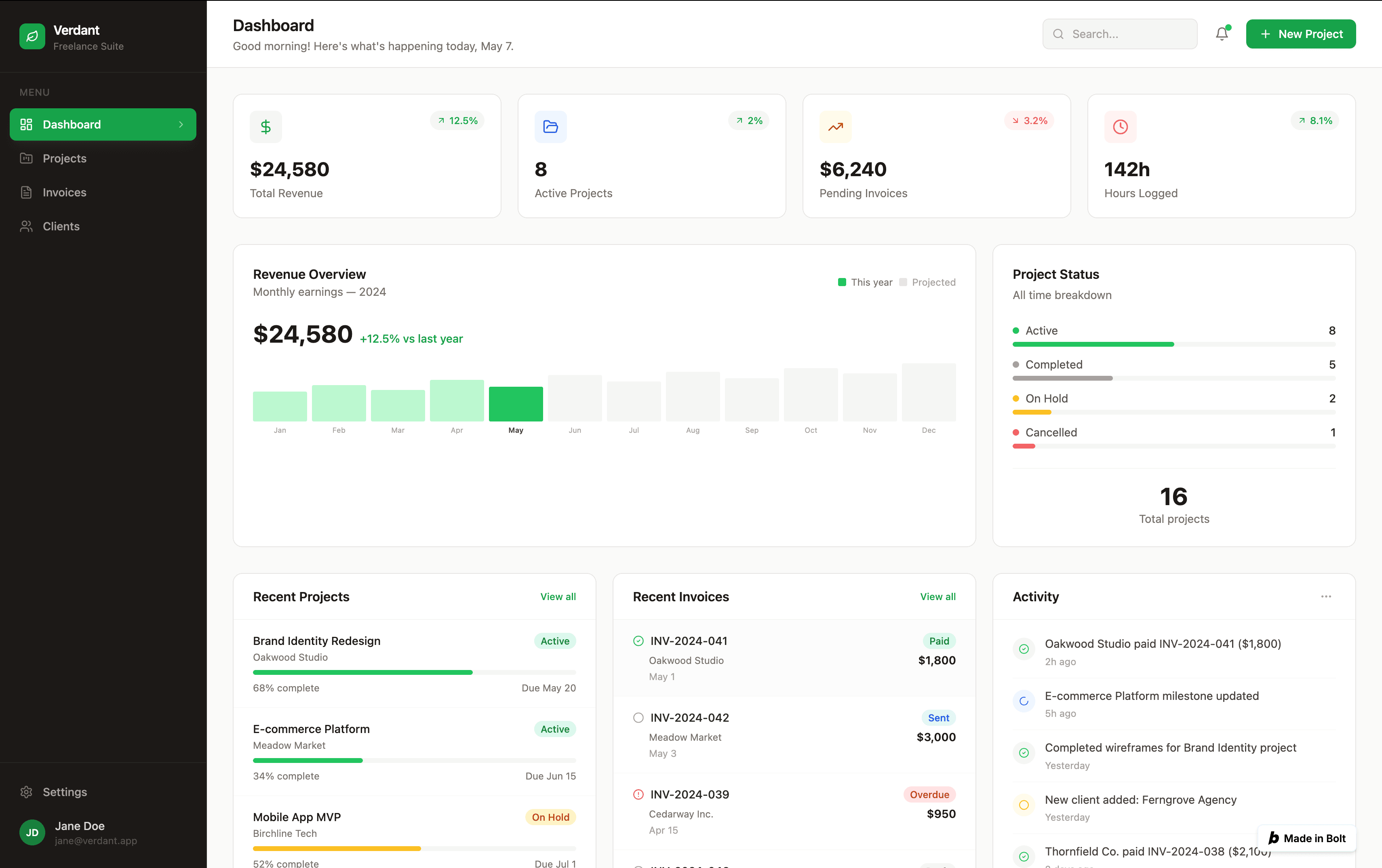
#1: Bolt
Bolt produced the strongest output of the three coding-first tools. Typography committed to a direction. Colors respected the nature-green ask without going over the top. Spacing rhythm felt deliberate, not template-driven. Functionally, the dashboard ran as a real app, not just a static mockup.
The output sat closer to dMaya with Claude Sonnet than to Lovable or v0 in our same-brief comparison. Bolt is the coding-first tool we would reach for first if visual polish on the running prototype matters more than speed.
Where Bolt wins: output quality, full running app from a single prompt, clean handoff to GitHub or deployment.
Pricing reality:Bolt's free tier covers single-screen exploration; multi-screen evaluation needs Pro at $25/mo. Standard for paid AI tools in this category.
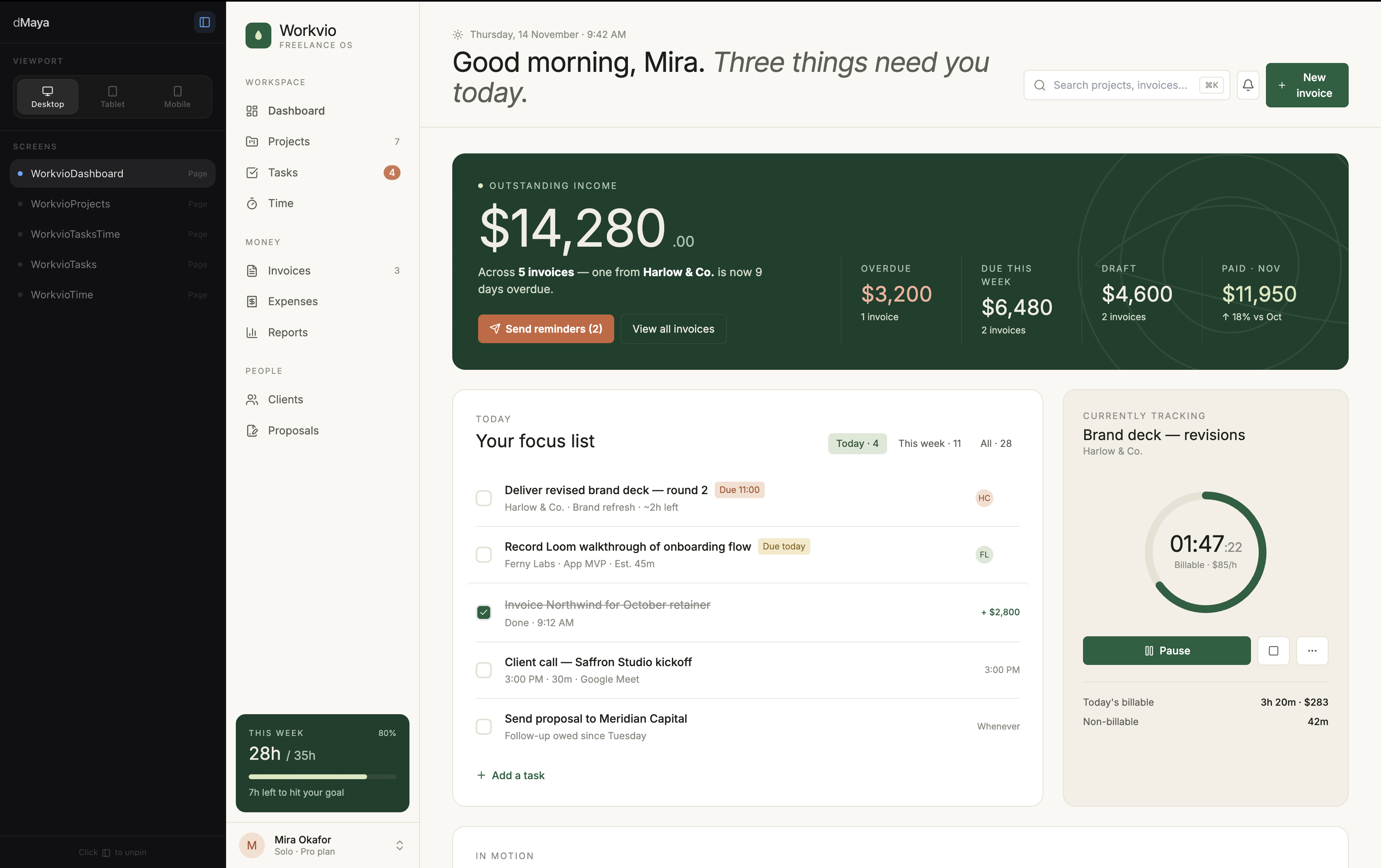
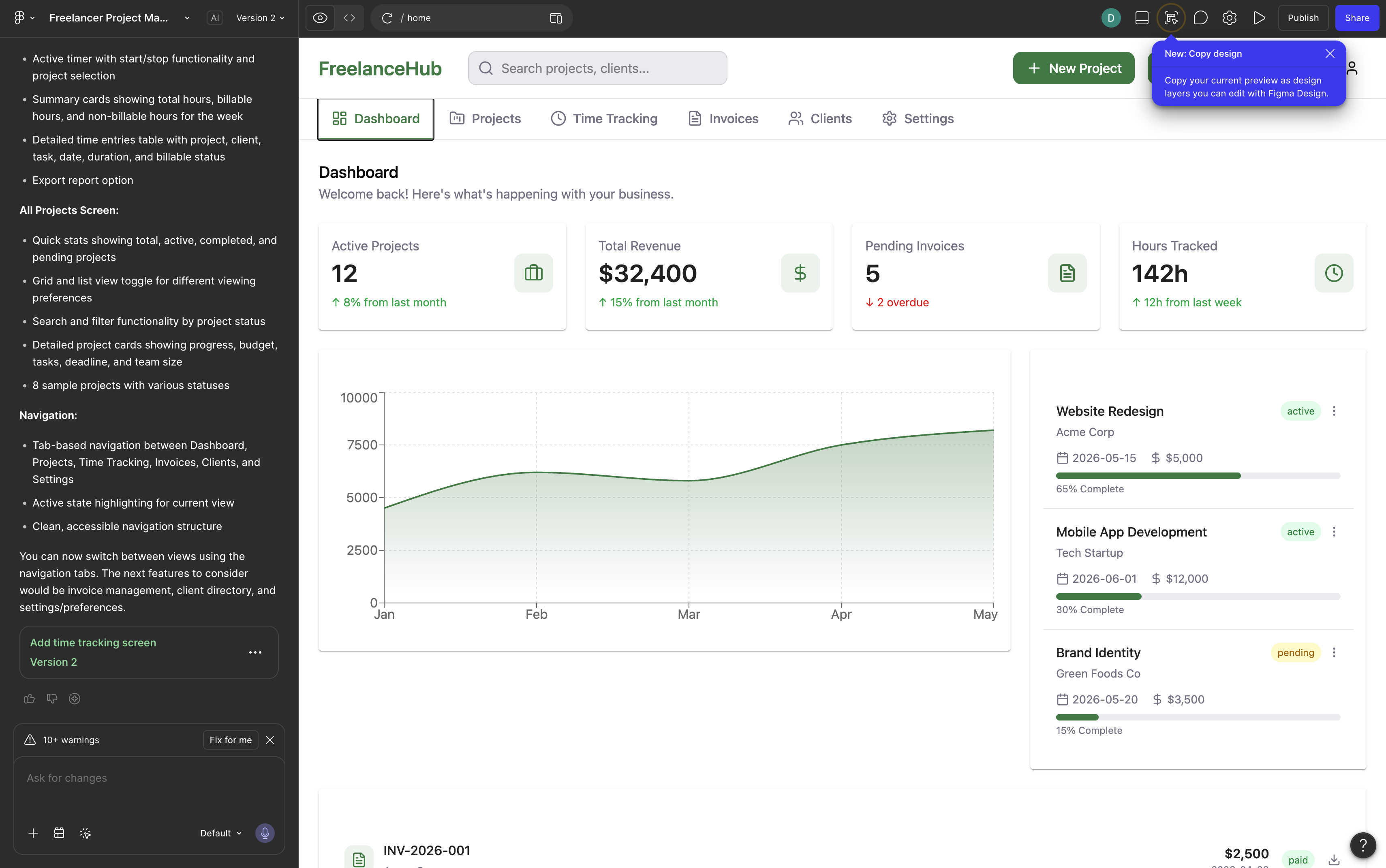
#2: Lovable
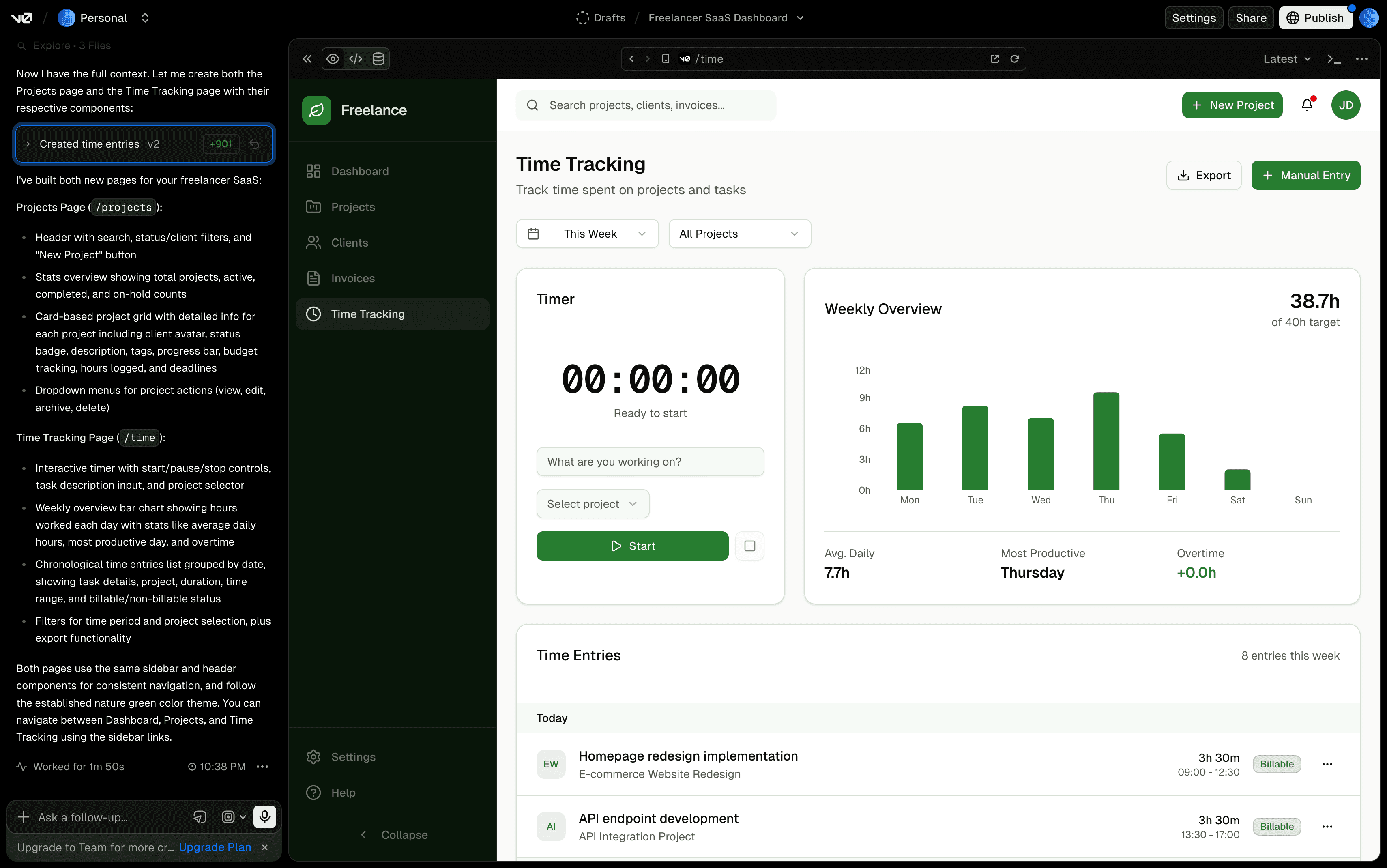
Lovable took roughly 5 minutes for the first prompt, the slowest of the three. Output was average: better than v0 visually but not as polished as Bolt. The chat-driven iteration loop was the smoothest of the three coding-first tools, which makes Lovable the right pick for non-developers who want to iterate by talking to the AI.
Where Lovable wins:chat iteration loop, accessibility for non-developers, running app output similar to Bolt's output type.
Pricing reality: same as Bolt. Free tier covers exploration; Pro at $25/mo for multi-screen evaluation. Standard pricing for paid AI tools in 2026.
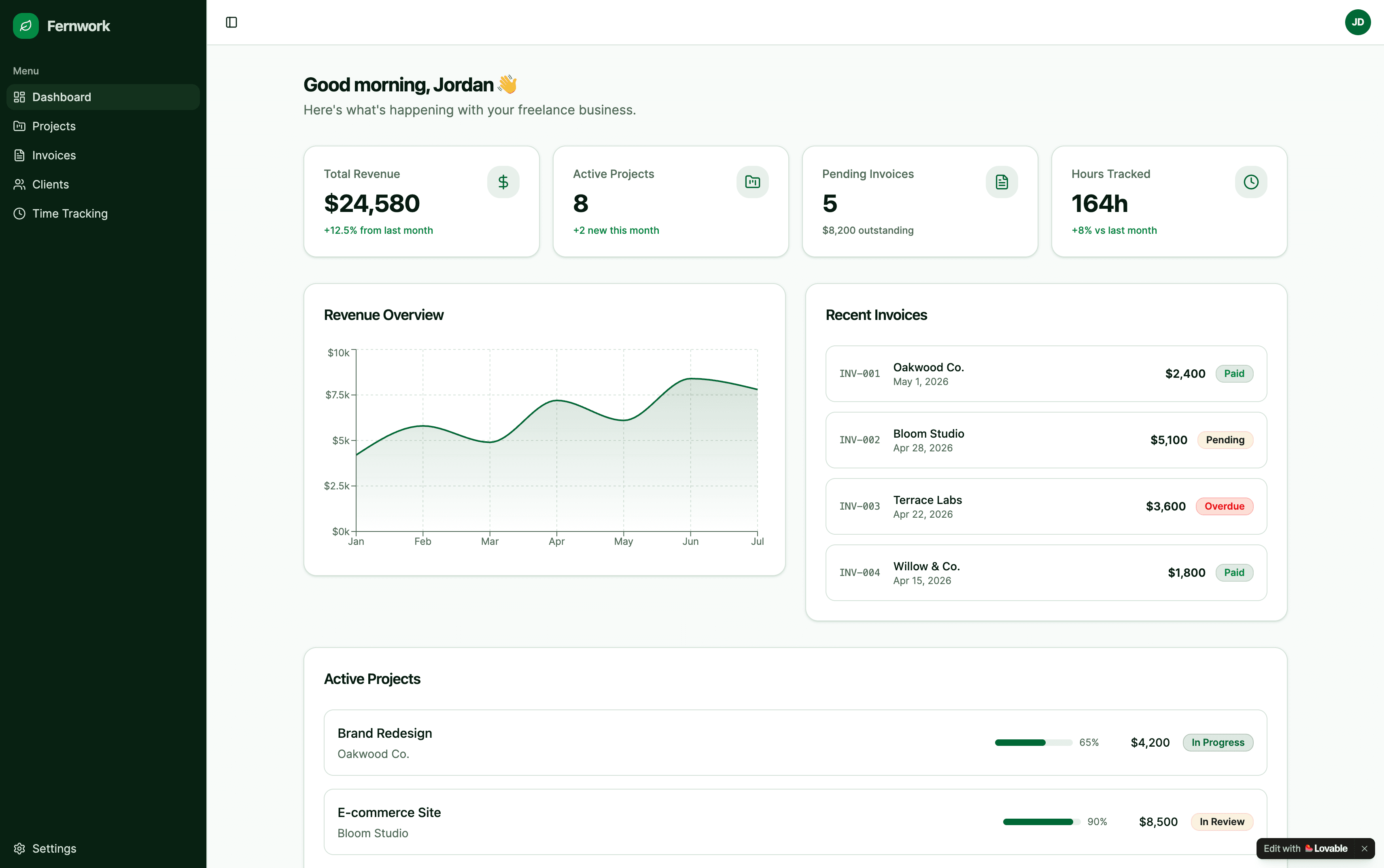
#3: Vercel v0
v0 was the fastest of the three: under 2 minutes total across the dashboard and the follow-up prompt for additional screens. Output quality was average, with the characteristic shadcn/ui aesthetic v0 defaults to (clean, functional, not visually distinctive).
For Vercel + shadcn shops, v0 has the lowest friction of any AI tool tested. The output slots cleanly into a Next.js project. For everyone else, v0's aesthetic is a constraint, not a feature.
Where v0 wins: speed, free tier survival (we generated three screens without hitting credit limits), Vercel deployment integration.
Honest take:v0's output looks like every other v0 output. The speed-quality trade-off favors speed. Fine for an MVP that does not need to look distinctive.
Need the v0 output in Figma for review or refinement? Paste your v0.dev or Vercel preview URL into our free v0 to Figma converter to extract editable Figma layers.
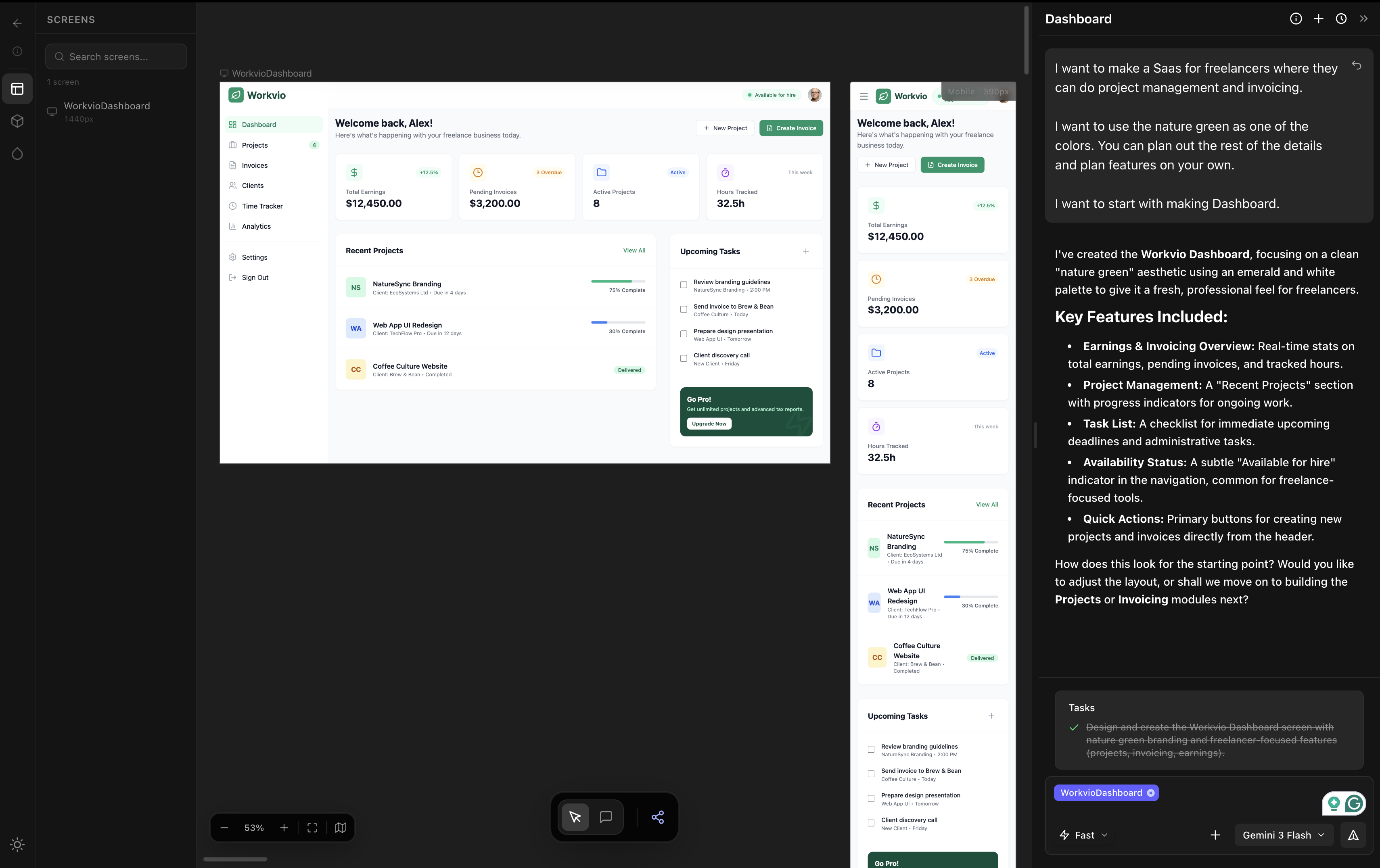
For comparison: dMaya on the same prompt (design-phase reference)
Lovable, Bolt, and v0 are coding-first tools: prompt to running app. dMaya is a design-first tool: prompt to multi-screen mockup with HTML export to a coding agent. The comparison is not strictly apples-to-apples, but designers evaluating these three need to see what the design-phase output looks like on the same brief.
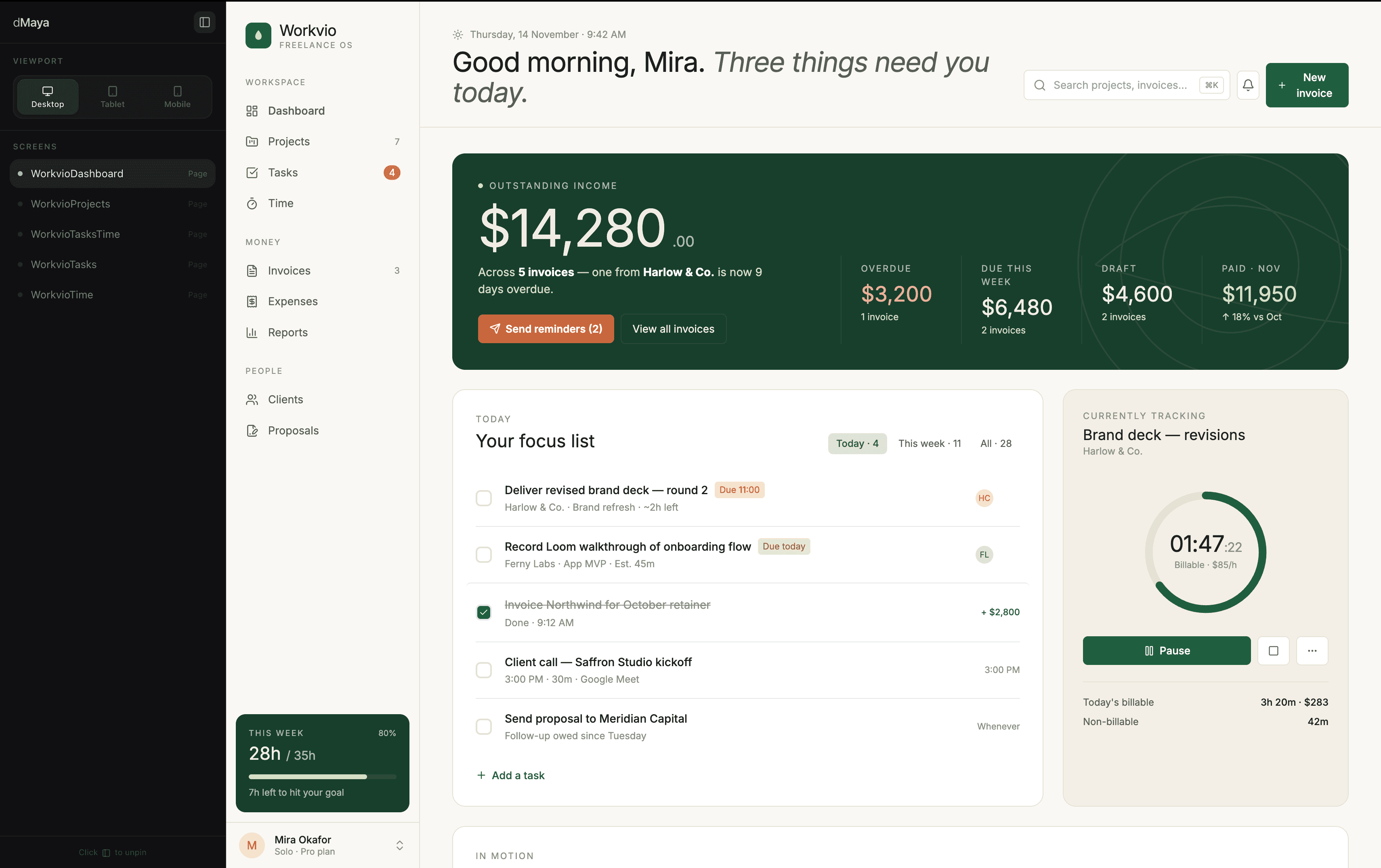
dMaya output is a static multi-screen mockup with consistent components across screens. Bolt's output (closest to dMaya quality on the dashboard alone) is a single running app. Different deliverables, different jobs. We are dMaya, so this section is not neutral, but the visual comparison is what designers ask for and we are showing it directly here instead of asking you to navigate elsewhere.
For the workflow that pairs them (dMaya for design phase, Bolt/Lovable/v0 for build phase), see the workflow section below.
Side-by-side comparison
| Metric | Bolt | Lovable | v0 |
|---|---|---|---|
| Time to first output | ~3 min | ~5 min | <2 min |
| Output quality | Highest of three | Average (slightly better than v0) | Average (shadcn default look) |
| Pro tier for multi-screen | $25/mo | $25/mo | $25/mo |
| Iteration loop | Solid | Smoothest of three | Quick but limited |
| Deployment integration | GitHub, hosting | Built-in deployment | Vercel native |
| Best for designers | Visual polish on running prototype | Chat-driven iteration | Vercel + shadcn stack |
Pricing reality
All three tools have free tiers and Pro plans in the $20 to $25/month range. For single-screen exploration, the free tiers work. For multi-screen evaluation, plan to be on Pro. This is the standard floor for paid AI tools in this category in 2026.
Concretely, in our same-prompt test, v0's free tier had enough headroom to generate the additional screens via a follow-up prompt. Bolt and Lovable did not, in their respective free tiers. The Pro tiers ($25/mo for both) handle multi-screen evaluation without throttling.
For designers running serious evaluations across all three plus a vibe design tool, the full stack lands around $40-50/month total ($25 for one coding-first tool plus $18/mo for dMaya). That is the realistic floor for AI-native design + dev workflow in 2026.
Want to know what won the broader 6-tool test?
dMaya with Claude Opus 4.7 produced the strongest output across all six tools tested. Multi-screen, model picker per generation, $18/mo Starter.
Start DesigningThe workflow for designers
For solo work or quick MVPs, going straight to Bolt or Lovable from a prompt works. For any project where the visual direction matters and stakeholders need to approve before code, the workflow that ships looks like this:
Phase 1
Vibe design tool first. dMaya, Stitch, or Claude Design. Generate multi-screen design with consistent components. Iterate visually with stakeholders. Lock the visual direction. This phase costs less than burning credits in Bolt or Lovable on visual decisions.
Phase 2
Hand the locked design to Bolt, Lovable, or v0. Use the design as a visual reference, paste relevant HTML or screenshots, and ask the coding tool to build the running prototype matching that design. Bolt for visual fidelity. Lovable for chat iteration. v0 for Vercel + shadcn integration.
Phase 3
Iterate on the running prototype. Whichever tool you picked, use its iteration loop to refine. The locked design from phase 1 keeps the visual direction stable across iterations.
The 80% mistake designers make with these three tools: skipping phase 1. They jump straight to Bolt or Lovable, generate something that looks generic, regenerate to fix the visual, regenerate again, and burn through credits before the design is settled. The cheapest path is settling visual direction on a design canvas first, then asking the coding tool to match.
Which one for which job
Pick Bolt when
- ✓ Visual polish on the first generation matters
- ✓ You will pay for the multi-screen runs
- ✓ You want a full running app, not just a mockup
- ✓ The output goes to a real product, not a throwaway demo
Pick Lovable when
- ✓ You want chat-driven iteration above all
- ✓ You are not a developer and want code mostly hidden
- ✓ You can absorb 5-minute first generations
- ✓ Output quality is acceptable as a starting point you will refine
Pick v0 when
- ✓ Your stack is Next.js with shadcn/ui
- ✓ Speed matters more than visual distinctiveness
- ✓ You deploy on Vercel
- ✓ Free tier survival is critical for evaluation
Pick none of the three when
- ✗ Multi-screen consistency is non-negotiable
- ✗ Brand integration matters from generation one
- ✗ You need clients to review before code is written
- ✗ You want a model picker per generation
For the cases that fall in the bottom-right card, vibe design tools (dMaya, Stitch, Claude Design) handle the design phase, then any of Bolt, Lovable, or v0 handle the build phase. The two phases are not in conflict; they cover different jobs in the same product cycle.
For the broader picture on how these three coding-first tools rank against vibe design tools (Stitch, Claude Design, Figma Make, dMaya), see the full 6-tool comparison.
Lock the design first. Hand it to whichever coding tool fits your stack.
dMaya runs Opus, Sonnet, and Gemini Flash on a multi-screen canvas with HTML export ready for Bolt, Lovable, v0, or Cursor. Plans start at $18/mo.
Start Designing