AI Dashboard Generation · 2026 Hands-On Test
AI Dashboard Generator (2026): 4 Tools Tested With the Same SaaS Brief

Most AI dashboard generator articles list ten tools and tell you they are all great. We ran the exact same SaaS dashboard brief through four tools and watched the outputs diverge. Real videos below. Real ranking. Real cost notes including the realistic Pro-tier floor for multi-screen evaluation.
We are dMaya. The honest verdict puts us first, marginally, with Bolt close behind on the dashboard alone and visibly ahead on the multi-screen extension. Lovable and v0 are average. Watch the videos and judge yourself.
The brief, exactly as we typed it: a SaaS for freelancers with project management and invoicing, nature green as a color, dashboard first. Same prompt, four tools.
The test setup
Same prompt to each tool. We followed up only when an output had a small visible bug worth fixing. We never re-prompted for a complete redesign. Where we wanted multi-screen output (time tracking, all projects), we used a single follow-up prompt.
The brief, exactly as given to every tool:
I want to make a SaaS for freelancers where they can do project management and invoicing.

I want to use the nature green as one of the colors. You can plan out the rest of the details and plan features on your own.

I want to start with making Dashboard.
For a more structured brief, generate one with our free PRD template tool before pasting into any of the dashboard generators below. The PRD output includes a Design Direction section and per-tool prompts.
#1: dMaya (Claude Opus 4.7)
dMaya produced the strongest dashboard output of the four tools. The video at the top of this post shows the full multi-screen run: dashboard, time tracking, and all-projects screens with consistent component styling, color discipline anchored on the requested nature-green, and editorial typography that committed to a direction.
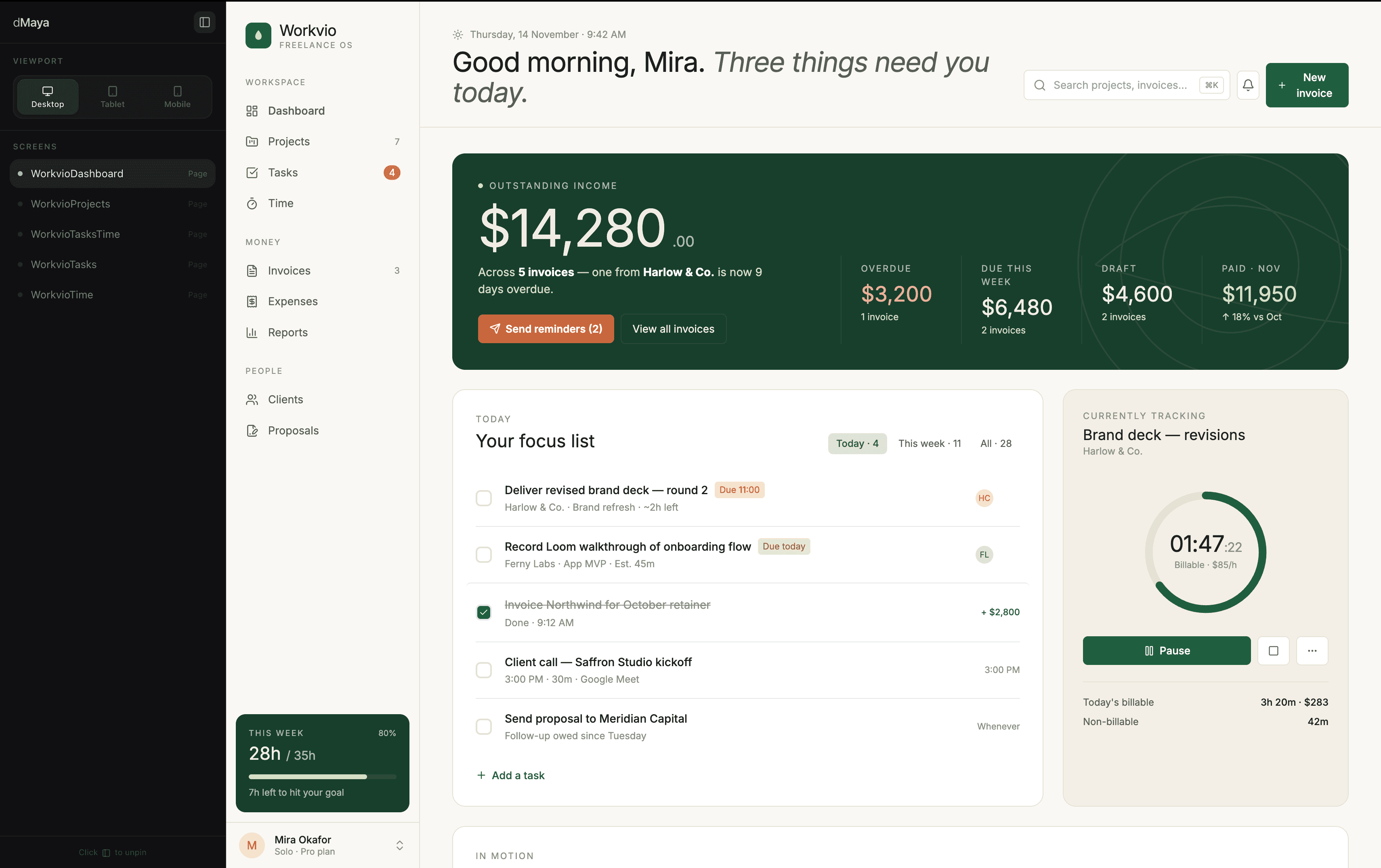
Time: ~2.5 minutes for the dashboard on Opus 4.7. Cost: ~220 credits in dMaya. The additional screens generated on Sonnet 4.6 ran faster and used roughly half the credits.
Where dMaya wins for dashboards: multi-screen consistency (the harder problem), model picker per generation, brand-aware output, clean HTML export to Claude Code or Cursor for the build phase.
Honest caveat: we are dMaya. On a single dashboard alone, Bolt (covered next) is genuinely competitive. Where dMaya separates is the second and third screens, which most other tools either skip or generate as drift-prone independents.
#2: Bolt
Bolt produced the dashboard in about 3 minutes as a running web app with frontend, backend, database, and authentication scaffolded. Output quality was the strongest of the coding-first tools we tested: typography committed, color respected the nature-green ask, spacing rhythm felt deliberate. Bolt is genuinely competitive on dashboards.
Where Bolt fell short: multi-screen evaluation needs Pro at $25/mo, the standard floor for paid AI tools in this category. Multi-screen consistency is also the user's job in Bolt; each generation is technically independent.
Full Bolt review with pricing reality and decision tree: /blog/bolt-new-review.
#3: Lovable
Lovable took about 5 minutes for the first prompt, the slowest of the four tools tested here. Output was average: better than v0 visually, behind Bolt and dMaya on typography commitment and overall polish. The chat-driven iteration loop was smoother than Bolt and v0, which makes Lovable a strong pick for non-developers iterating by talking to the AI.
Like Bolt, Lovable's free tier is exploration-grade and covers a single screen. Plan to be on the $25/mo Pro tier for serious multi-screen evaluation. Full review: /blog/lovable-review.
#4: Vercel v0
v0 was the fastest of the four tools, under 2 minutes total across the dashboard and a follow-up prompt for additional screens. Output quality was average, with the characteristic shadcn/ui aesthetic v0 defaults to (clean, functional, not visually distinctive). For Next.js + shadcn shops, v0 has the lowest friction of any tool tested. For everyone else, v0's aesthetic is a constraint.
v0's free tier stretched the furthest in our test, surviving the multi-screen follow-up. Premium runs $20/mo for serious work, $5 below the $25/mo Pro floor on Bolt and Lovable.
Side-by-side comparison
| Tool | Time | Output type | Multi-screen | Quality |
|---|---|---|---|---|
| dMaya (Opus 4.7) | ~2.5 min | Mockup + HTML export | Yes (consistent) | Highest |
| Bolt | ~3 min | Running app | Pro $25/mo | High (close to dMaya) |
| Lovable | ~5 min | Running app | Pro $25/mo | Average |
| Vercel v0 | <2 min | Next.js + shadcn code | Yes (single follow-up prompt) | Average |
For the broader 6-tool test that includes Stitch and Figma Make, see The Best AI Prototype Tool in 2026.
Generate a multi-screen dashboard that ships.
dMaya runs Opus, Sonnet, and Gemini Flash on a multi-screen canvas with HTML export to Claude Code. Plans start at $18/mo.
Start DesigningWhat makes a great AI-generated dashboard
Three things separate a good AI dashboard from one that needs a manual rebuild:
- Information hierarchy.The dashboard answers the user's most important question first. Generic AI output gives equal weight to every metric. Good AI output prioritizes one or two anchor metrics and treats the rest as supporting context.
- Color discipline. One or two colors used with intent, not a rainbow of chart colors and badge variants. The brief asked for nature green; output that uses green plus three other arbitrary colors does not respect the brief.
- Spacing rhythm. Cards, charts, and tables should sit on a consistent grid with consistent vertical rhythm. Tools that produce dashboards with cramped sections next to over-padded sections are easy to spot. Output that respects spacing looks designed.
- Multi-screen coherence. If your project has more than one screen (most do: dashboard plus settings plus a detail view), the screens should feel like one product. Tools that generate independent outputs require manual alignment that eats time.
On all four dimensions, dMaya with Opus 4.7 produced the strongest output in our test. On information hierarchy and color discipline alone (single-screen), Bolt was competitive. Lovable and v0 produced output that satisfied two of the four dimensions but not all four.
Which tool to pick
Multi-screen SaaS dashboard for client work
dMaya. Multi-screen consistency, brand-aware, model picker, clean HTML export to Claude Code or Cursor for the build phase. $18/mo Starter.
Single dashboard as a running app
Bolt on Pro plan ($25/mo). Output close to dMaya quality on a dashboard alone, full running app from a prompt, plan on Pro for multi-screen.
Next.js + shadcn dashboard
Vercel v0. Lowest friction if your destination is Next.js with shadcn. Speed wins over polish.
Chat-driven iteration on a dashboard
Lovable on Pro plan. Smoothest chat loop of the coding-first tools. Output average; refine after generation.
For most teams shipping a real freelancer or B2B SaaS dashboard with more than one screen, the workflow that ships is dMaya for the design phase, then Bolt or v0 or Cursor for the build phase. The dMaya HTML export is framework-agnostic and feeds any of them.
For solo MVP work where the deliverable is a single dashboard URL: Bolt on Pro. For Vercel-stack dashboards: v0. For everything else where multi-screen and brand matter, the design-first workflow wins on time saved.
Generate the multi-screen dashboard that ships.
dMaya runs Opus, Sonnet, and Gemini Flash on a persistent canvas with consistent components and HTML export to any coding agent. Plans start at $18/mo.
Start DesigningKeep reading
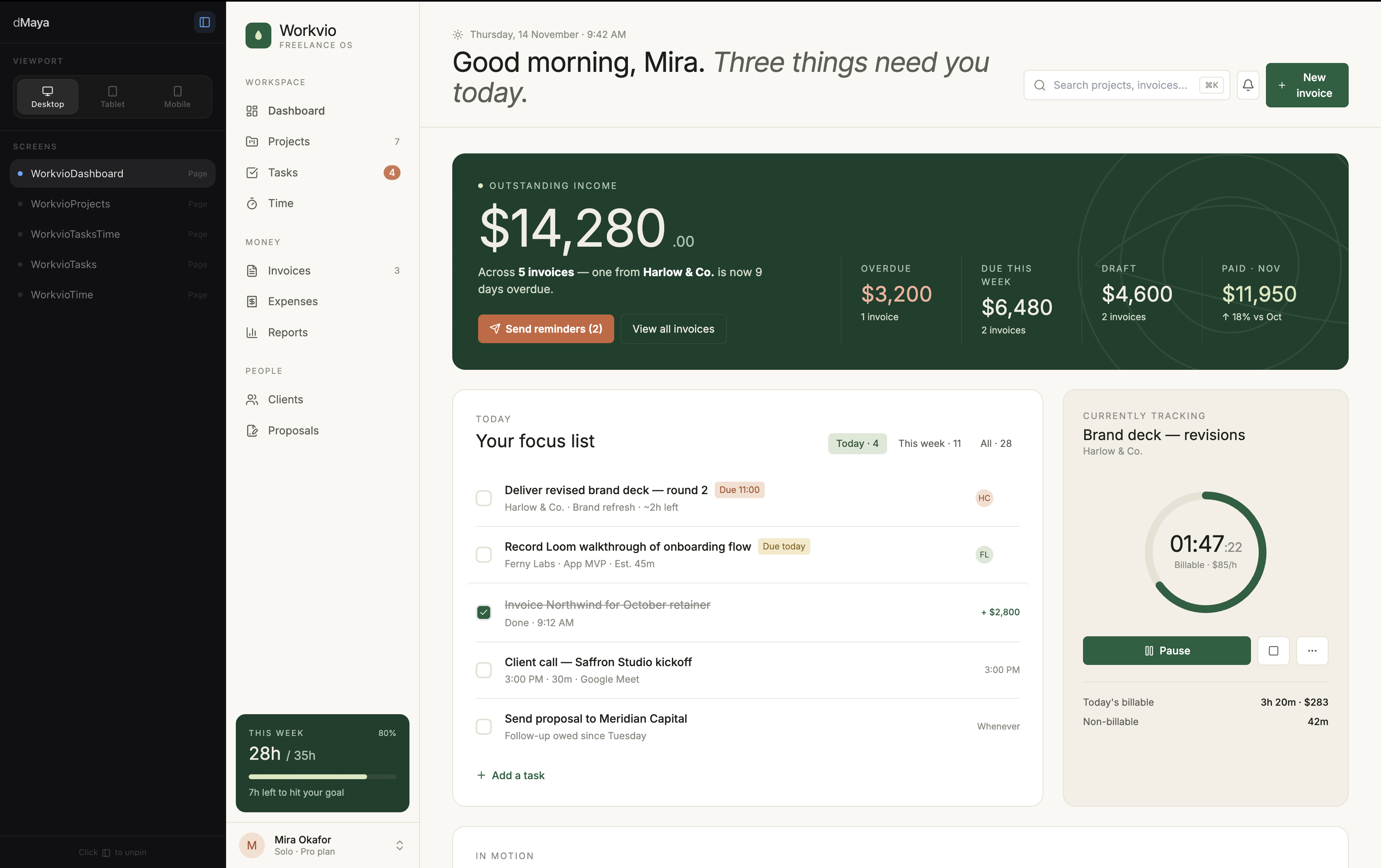
6-tool test
The Best AI Prototype Tool in 2026
Same prompt across six tools, real videos, honest ranking.
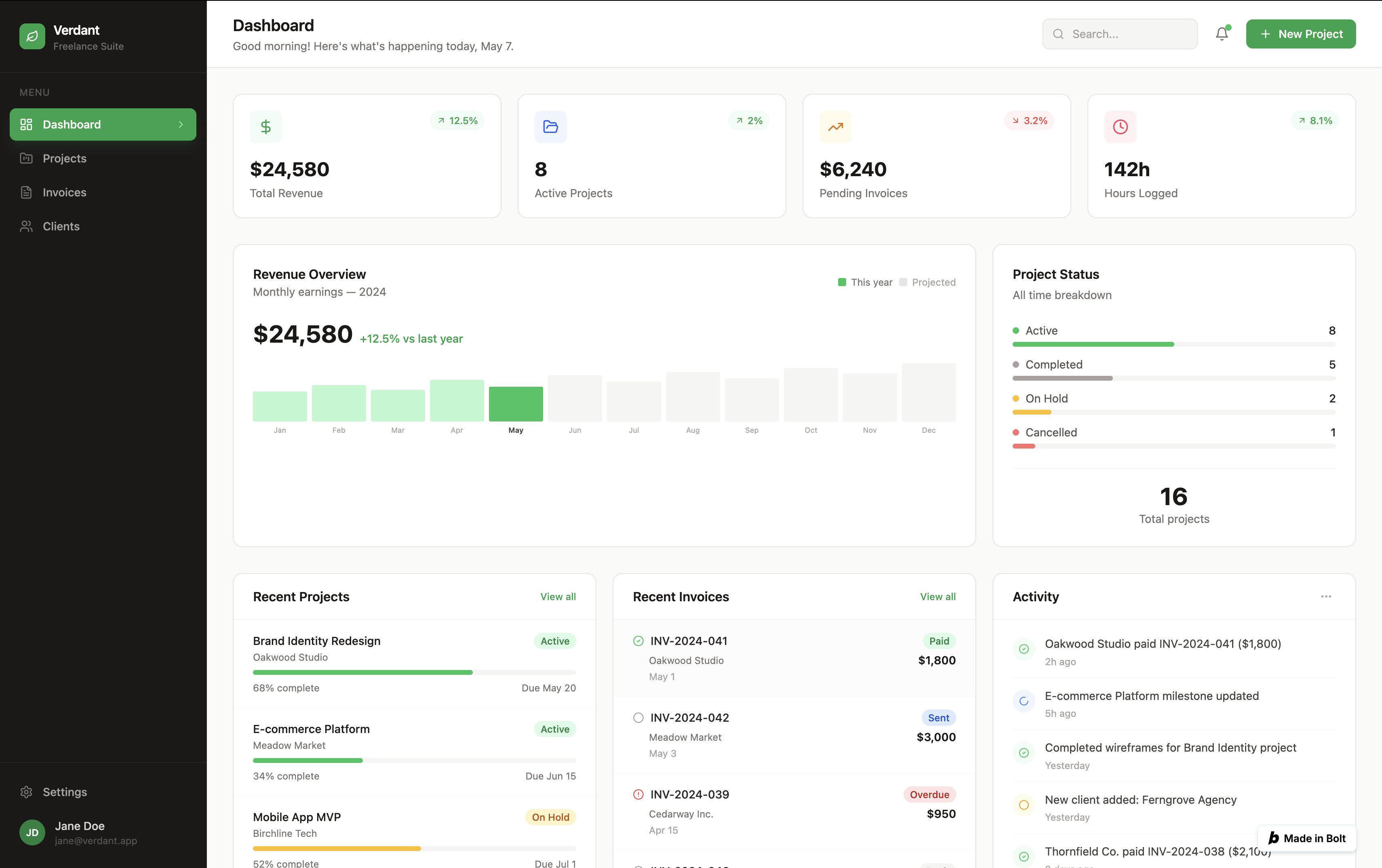
Hands-on review
Bolt.new Review (2026)
Best output of any coding-first tool tested. Free credit caveat included.
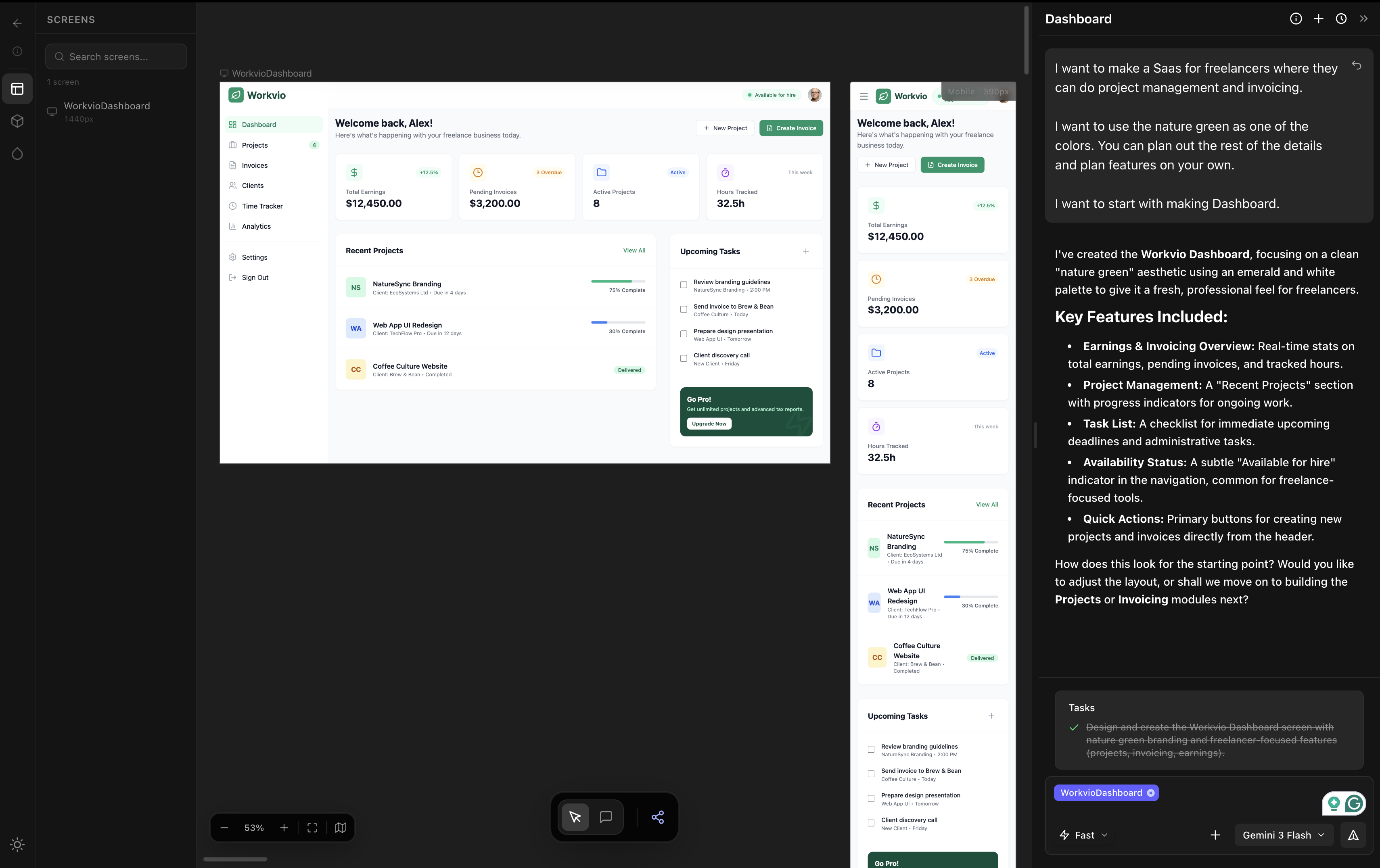
The category
Vibe Design: The Definitive 2026 Guide
Definition. 5 tools compared. Real timings.